
Organisations with large property portfolios manage thousands of physical assets, from lifts and boilers to fire systems and air handling units, often across hundreds of sites. In many of them, the asset register still lives in spreadsheets that nobody fully trusts. Some assets are missing from the records, while ghost assets exist only on paper.
Without reliable asset information, it is hard to know the condition and age of each asset or when it was last inspected. Manual processes and manual data entry also make human error more likely. Statutory inspections get missed, and capital plans are based on estimates rather than facts.
Asset management software solves this by keeping every asset, its location, condition and history in one system. In this guide, we explain what asset management software is, how it works and which types exist. We focus on physical assets, such as buildings and the equipment inside them, but we also cover IT, software and digital asset management so you can see which type you need. You will also find the key features, pricing and the best asset management software in the UK for 2026.
Key Takeaways
- Asset management software is a digital system that records every asset an organisation owns, where it is, what condition it is in and what it costs, and manages it from acquisition to disposal.
- The main types are physical (fixed) asset management, enterprise asset management (EAM), IT asset management (ITAM), software asset management (SAM) and digital asset management (DAM). Use SAM for software licences, ITAM for IT hardware and DAM for media files. For buildings and equipment, you need physical asset management or EAM software.
- Physical asset management software keeps a central asset register and covers the full lifecycle, including maintenance, inspections, compliance and capital planning.
- Pricing is usually a subscription, charged per user, asset, site or square metre. Per-user pricing can grow quickly when technicians and contractors need access, so models with unlimited users are often cheaper for large teams.
- The best asset management software in the UK for 2026 includes SINGU, IBM Maximo, MRI Fixed Asset Management, Octave Attune EAM (formerly HxGN EAM) and Nanolink, with SINGU the strongest choice for multi-site physical estates.
What Is Asset Management Software?
Asset management software is a digital system that records every asset an organisation owns, where it is, what condition it is in and what it costs. It manages the full asset lifecycle, from acquisition and day-to-day use to maintenance, replacement and disposal, and gives asset managers one reliable source of asset data. These tools are also called asset management systems or asset management solutions.
How Does Asset Management Software Work?
The core of the system is the asset register. Each asset is assigned to a site and building, and often to a more precise location such as a floor or room. Its record holds the asset details, such as technical data, documents, photos and warranty information, together with a full history of everything done to it.
Assets are usually tagged so technicians can identify them on site, often with barcodes, QR codes, RFID or NFC tags. Tags also make asset audits faster, because scanning a tag confirms an asset’s location and condition. The register is connected to maintenance workflows, so preventative maintenance, repairs and inspections are scheduled and recorded against the right asset. Technicians use the app on their mobile devices in the field, and managers get real-time visibility of asset status, condition and costs through asset reporting and dashboards.
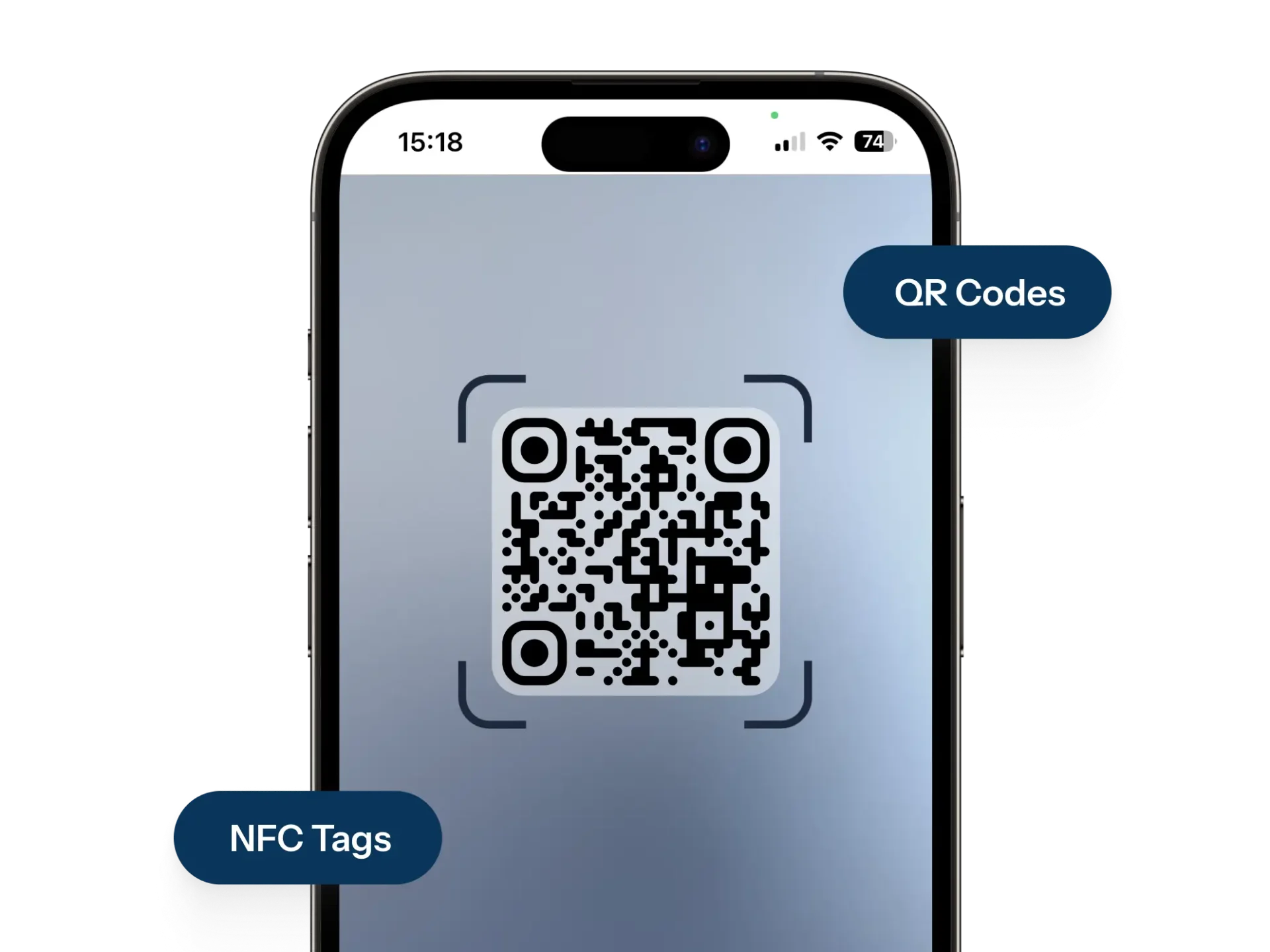
In SINGU, a technician can identify a piece of equipment on site by scanning its NFC tag or QR code and open its record in the mobile app. The record shows the equipment history, its metrics and whether it is still under warranty. Technicians can also take and annotate photos of defects, even offline, so the condition of the equipment is documented on the spot. When an inspection finds a fault, the team can turn it into a work order linked to that asset, so every repair and its cost stay attached to the equipment for future decisions.
Asset Management vs Asset Tracking vs Inventory Management
These three terms are often used as if they meant the same thing, but they cover different jobs. Asset tracking shows where an asset is. Inventory management controls consumable stock, such as spare parts and materials that are used up over time. Asset management covers the whole lifecycle of an asset, including its condition, maintenance, compliance and cost.
| Asset tracking | Inventory management | Asset management | |
|---|---|---|---|
| Main question | Where is it? | How much do we have? | What is its condition, cost and future? |
| What it covers | Location and movement | Consumable stock and spare parts | Full lifecycle of long-term assets |
| Typical data | Tag scans, location history | Stock levels, reorder points | Condition, maintenance history, costs, compliance |
| Time horizon | Now | Weeks or months | Years or decades |
In practice, many organisations need all three, so most asset management systems also include tracking capabilities. In SINGU, inventory management links spare parts to the work orders that use them, while the asset register keeps the long-term view of each piece of equipment.
Types of Asset Management Software
Asset management software is a broad category. Tools differ in the type of asset they manage, from physical equipment to cloud assets and intangible assets such as software licences, as well as in the team that owns them and the problems they solve.
Physical / Fixed Asset Management Software
Physical asset management software manages tangible assets such as buildings, building systems (HVAC, lifts, electrical, fire and water systems), equipment and machinery, furniture and vehicles. It covers the operational view of each asset, including its condition, asset performance, maintenance and compliance. SINGU belongs to this category. In many organisations, finance teams also record the same assets on the balance sheet, usually in a separate fixed asset register kept in accounting software.
Enterprise Asset Management (EAM)
Enterprise asset management software is built for asset-heavy organisations that need to manage the lifecycle, maintenance, work orders and procurement of assets at enterprise scale. A CMMS focuses mainly on maintenance and work orders, while EAM adds wider lifecycle, financial and procurement features. CAFM sits close to both but is centred on buildings and facility operations.
IT Asset Management (ITAM)
IT asset management software tracks hardware such as laptops, servers, phones and network devices, often through a configuration management database (CMDB). It is usually owned by the IT department and helps with procurement, security and device lifecycle. It also shows who uses each device, so equipment can be recovered when staff leave and replaced before it becomes a security risk.
Software Asset Management (SAM)
Software asset management focuses on software licences rather than physical items. A SAM tool tracks which licences an organisation has bought and how much each application, including SaaS subscriptions, is actually used. This helps avoid paying for unused licences and reduces the risk of penalties during vendor audits. SAM is usually used by IT procurement and finance teams, often alongside ITAM.
If your challenge is buildings and equipment rather than licences, you need physical asset management software instead.
Digital Asset Management (DAM)
Digital asset management software stores and organises digital files such as images, videos and brand materials. It is usually owned by marketing and creative teams, who use it to keep brand content consistent and easy to find. Version control and usage rights help teams avoid publishing outdated files or images they no longer have permission to use.
Asset Management Software Types Compared
| Type | What it manages | Typical user | Key functions | Example tools |
|---|---|---|---|---|
| Physical / fixed asset management | Buildings, building systems, equipment | Estates, facility and technical teams | Asset register, maintenance, inspections, compliance, capital planning | SINGU, MRI Fixed Asset Management |
| EAM | Assets in asset-heavy industries | Maintenance and operations teams | Lifecycle, work orders, procurement | IBM Maximo, Octave Attune EAM |
| ITAM | IT hardware | IT department | Device inventory, CMDB, lifecycle | ServiceNow, Freshservice, ManageEngine |
| SAM | Software licences and SaaS | IT procurement, finance | Licence tracking, usage, audit readiness | Flexera, ServiceNow SAM |
| DAM | Images, video, brand files | Marketing teams | Storage, search, brand control | Bynder, Adobe Experience Manager Assets |
Which Type Do You Need?
The type you need depends on what you are managing. Choose SAM for software licences, ITAM for IT hardware and DAM for media files. If your assets are buildings, equipment and the work done on them, you need physical asset management, EAM or CAFM software such as SINGU.
Real Estate Asset Management Software
Real estate asset management software, sometimes called property asset management software, gives organisations one view of the buildings they own or occupy. It brings together the property register, building condition, the assets inside each building, compliance status, maintenance backlog and capital investment needs, so estates teams can manage their whole portfolio from reliable data.
One Register for Buildings and Equipment
For most organisations, buildings are the largest physical assets they own, and the systems inside them, such as heating, lifts, fire safety and water systems, drive much of the cost and risk. Real estate asset management software keeps buildings and their equipment in one register, so teams can see which assets each building contains, what condition they are in and what they have cost so far.
In SINGU, every asset is assigned to a building, and teams can also add its location inside the building and pin its position on an interactive floor plan. When a fault is reported, the exact place of the issue can be marked on the same plan, so technicians know where to go before they arrive on site. This gives the whole estate one location-based source of truth for its equipment and the work done on it.
Condition, Backlog and Capital Planning
Knowing the condition of each building and its systems is the starting point for any capital plan. Condition surveys show which assets are reaching the end of their life, while backlog maintenance shows how much work has been postponed and what risk it carries. With this data, teams can decide whether to repair or replace an asset and plan investment over several years instead of reacting to failures. This approach to lifecycle management extends asset life and helps avoid unexpected costs.
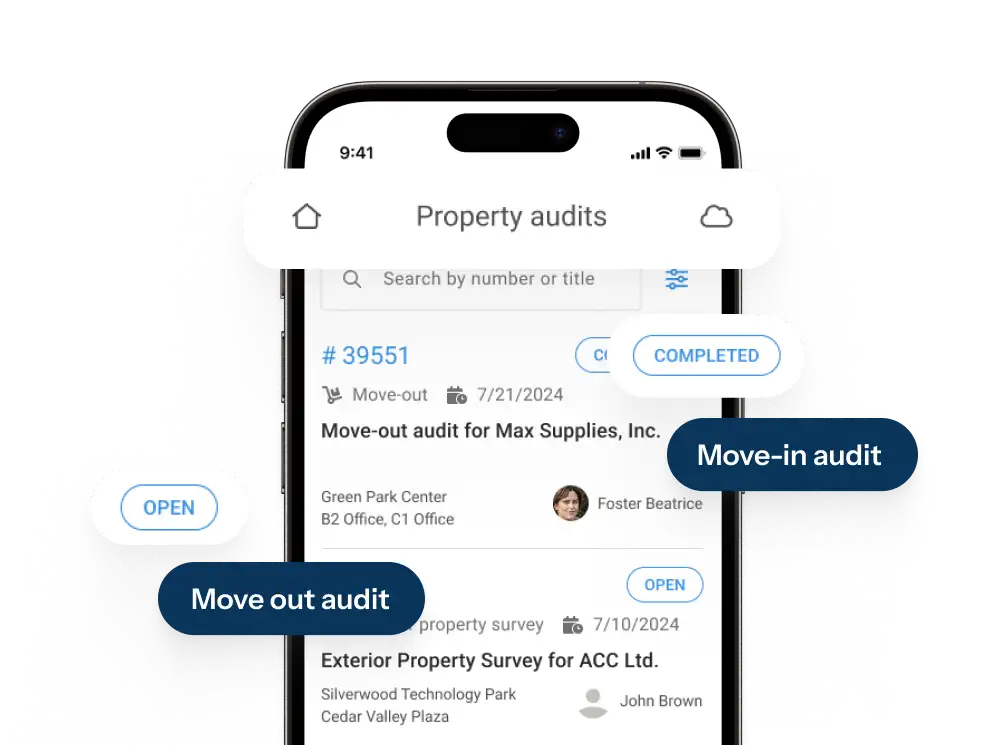
In SINGU, property audits record the condition of buildings and assets, and each audit report shows an overall score and a score for each section of the audit, which can be compared across sites. Capital projects can then be planned and followed in Project Tracker.
Compliance Across the Estate
Every building comes with statutory obligations, and many of them are tied to specific assets. In the UK, these include the Building Safety Act 2022, the Regulatory Reform (Fire Safety) Order 2005, the Control of Asbestos Regulations 2012 and the HSE’s Approved Code of Practice L8 on Legionella control. Many organisations also use SFG20 to define what maintenance each asset needs and how often. To prove compliance, teams need a clear record of every inspection, for every building and every asset.
SINGU supports compliance with asbestos management, digital inspections with customisable checklists, document compliance and a full audit trail. This gives estates teams evidence that is ready whenever an auditor, insurer or regulator asks for it.
Real Estate Asset Management for Retail and Healthcare
Retail chains
Retailers often run hundreds of stores with the same equipment, such as refrigeration, HVAC and lighting. Effective asset management depends on consistent standards in every store and tight control over the contractors who maintain them. With all stores and assets in one system, head office can see which locations need attention and compare maintenance costs across the network. SINGU for retail chains is used by large networks such as LPP and AmRest.
Running the same equipment in hundreds of stores? Keep every asset, contractor and cost in one system.
See how retail chains use SINGU to apply one maintenance standard in every store, control contractors and cut emergency repairs.
NHS and healthcare estates
Healthcare estates are large and complex, and asset registers are often incomplete. Missed inspections create risk for patients and staff, and boards need assurance that the estate is safe and compliant. SINGU’s healthcare solutions give trusts complete visibility of estate assets, reduce compliance and audit risk, strengthen control over planned preventive maintenance and support better capital planning, which helps reduce emergency repairs.
Can you prove your estate is safe and compliant? Give your board audit-ready evidence for every asset.
See how NHS trusts use SINGU to build a complete asset register, keep inspections and PPM on track and plan capital spend.
Key Features of Physical Asset Management Software
The features below are the core of most physical asset management systems. For each one, we explain what it does, which problem it solves and, where relevant, how it works in SINGU.
Central Asset Register
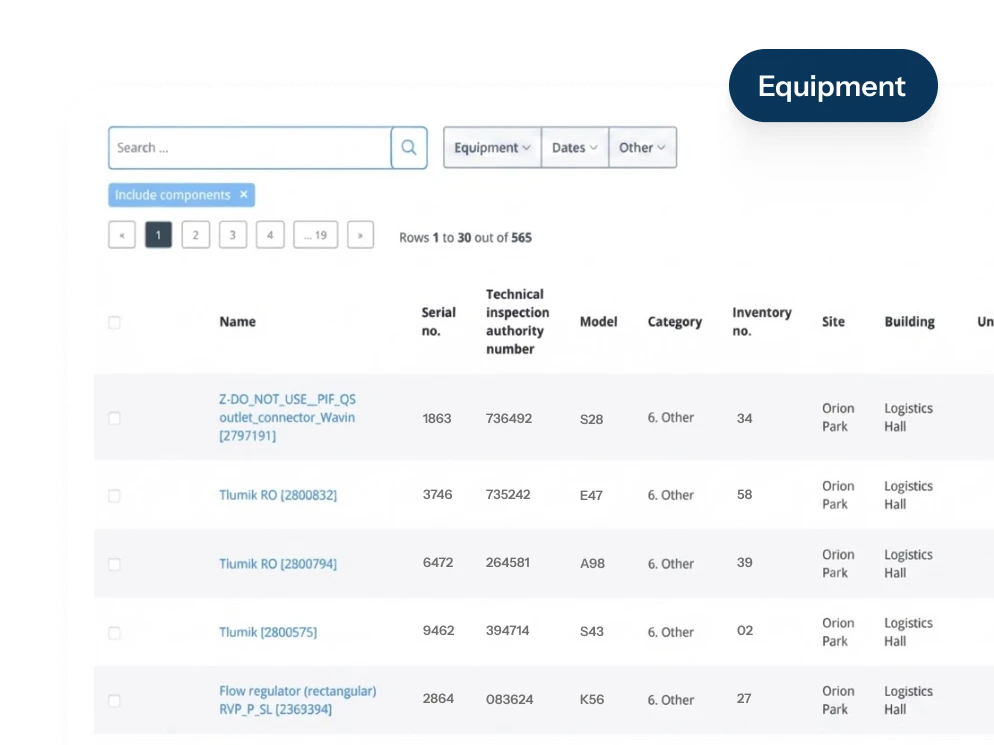
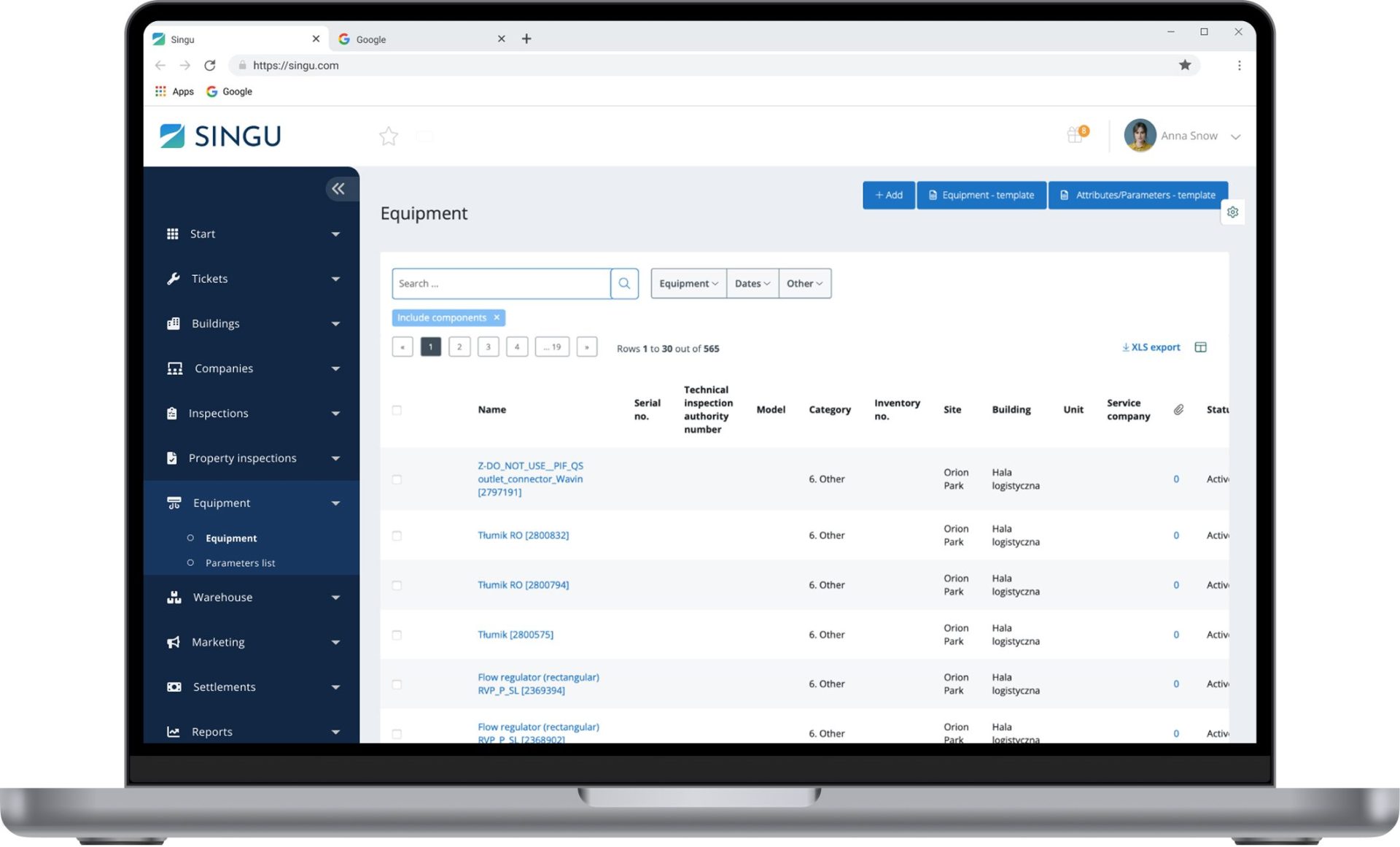
A central asset register holds all your assets in one place, organised by location and by standardised asset types. Each record stores technical data, custom parameters, documents, photos and warranty details, so teams no longer search through spreadsheets and folders. In SINGU, every piece of equipment has its own history and performance metrics, and AI Equipment Capture turns a photo of a nameplate into a structured asset record, allowing teams to build the register much faster and without time-consuming manual data entry.
Asset Tagging & Tracking
Tagging links each physical asset to its digital record, usually with barcodes, QR codes, RFID or NFC tags. It makes it easy to track assets and confirm that each one is where the register says it is, which simplifies asset management during inspections and audits. In SINGU, equipment is tagged with QR codes or NFC tags that are linked to digital floor plans, so a technician can scan a tag and see the asset details and its position in the building within seconds.
Asset Lifecycle Management
Life cycle management follows each asset from planning and acquisition through operation and maintenance to disposal. It helps asset managers decide when to repair, when to replace and how to get the most value from each asset. SINGU tracks equipment downtime and its financial impact and keeps the full asset history. Teams can filter equipment by warranty expiry date, and every new ticket shows whether the equipment is still under warranty, so faults can be reported to the guarantor in time.]

Planned Preventive & Condition-Based Maintenance
Planned preventive maintenance schedules regular servicing before faults appear, while condition-based maintenance uses real-time data from sensors to react as soon as something starts to go wrong. Together, they cut emergency repairs and extend asset life. SINGU runs preventive maintenance schedules with checklists and PDF protocols. IoT sensors for temperature, humidity, leaks and presence send readings to the equipment record, and a ticket can be created automatically when a value crosses a set limit.
Work Orders & Contractor Management
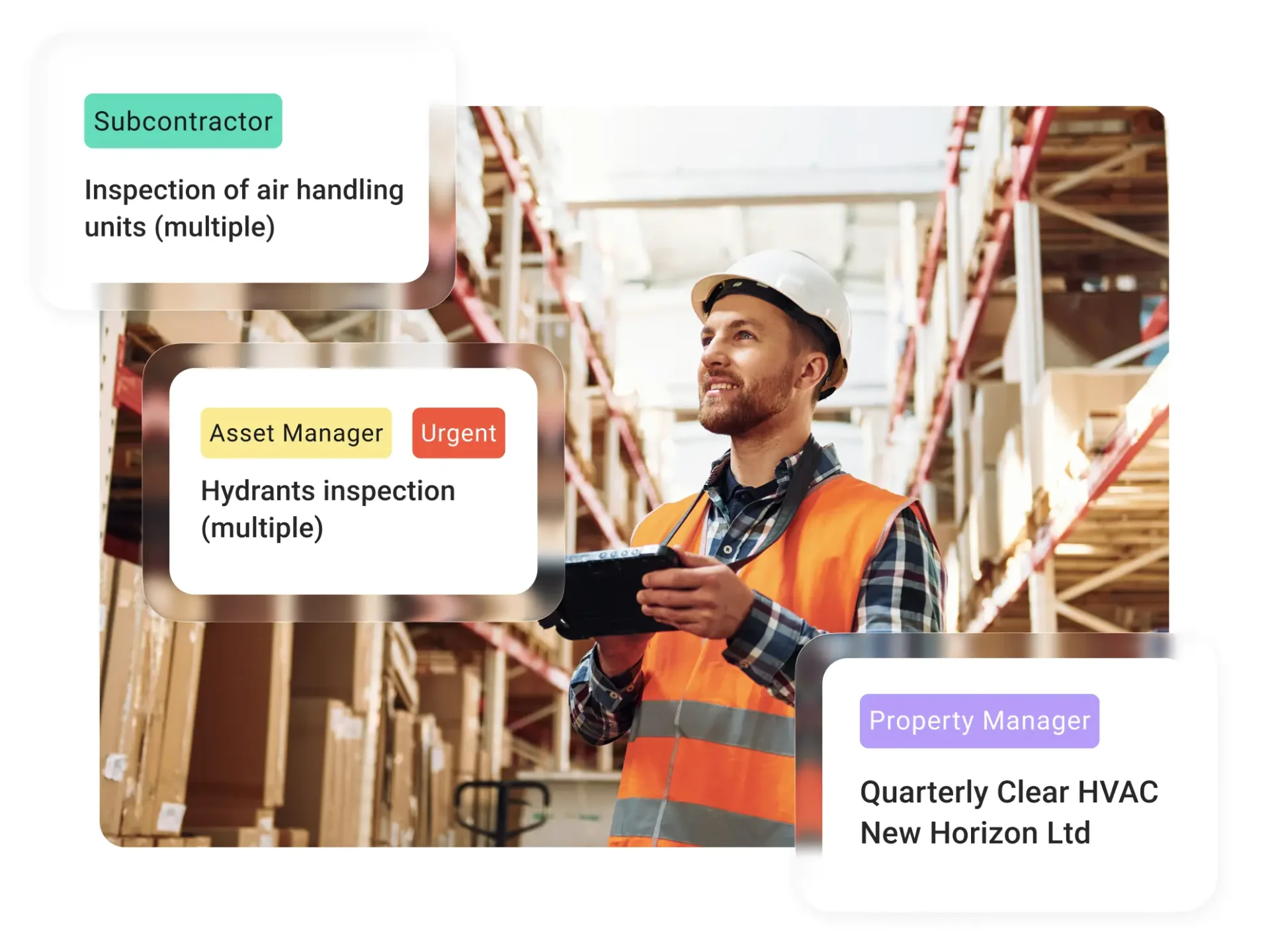
Every reactive job should be linked to the asset it concerns, so its cost and outcome become part of the asset history. Linking work orders to assets also shows which equipment fails most often. Contractor management adds SLA monitoring, cost approvals and tenders, so teams can see who did the work, how long it took and what it cost.

Inspections, Audits & Compliance
Statutory inspections are usually tied to specific asset types, such as lifts, fire alarms or gas appliances. Mobile inspections with digital checklists replace paper forms, reduce errors and leave a full audit trail. In SINGU, defined inspections are linked to each piece of equipment, and every result is stored in its record, ready for an auditor or insurer.

Spare Parts & Inventory
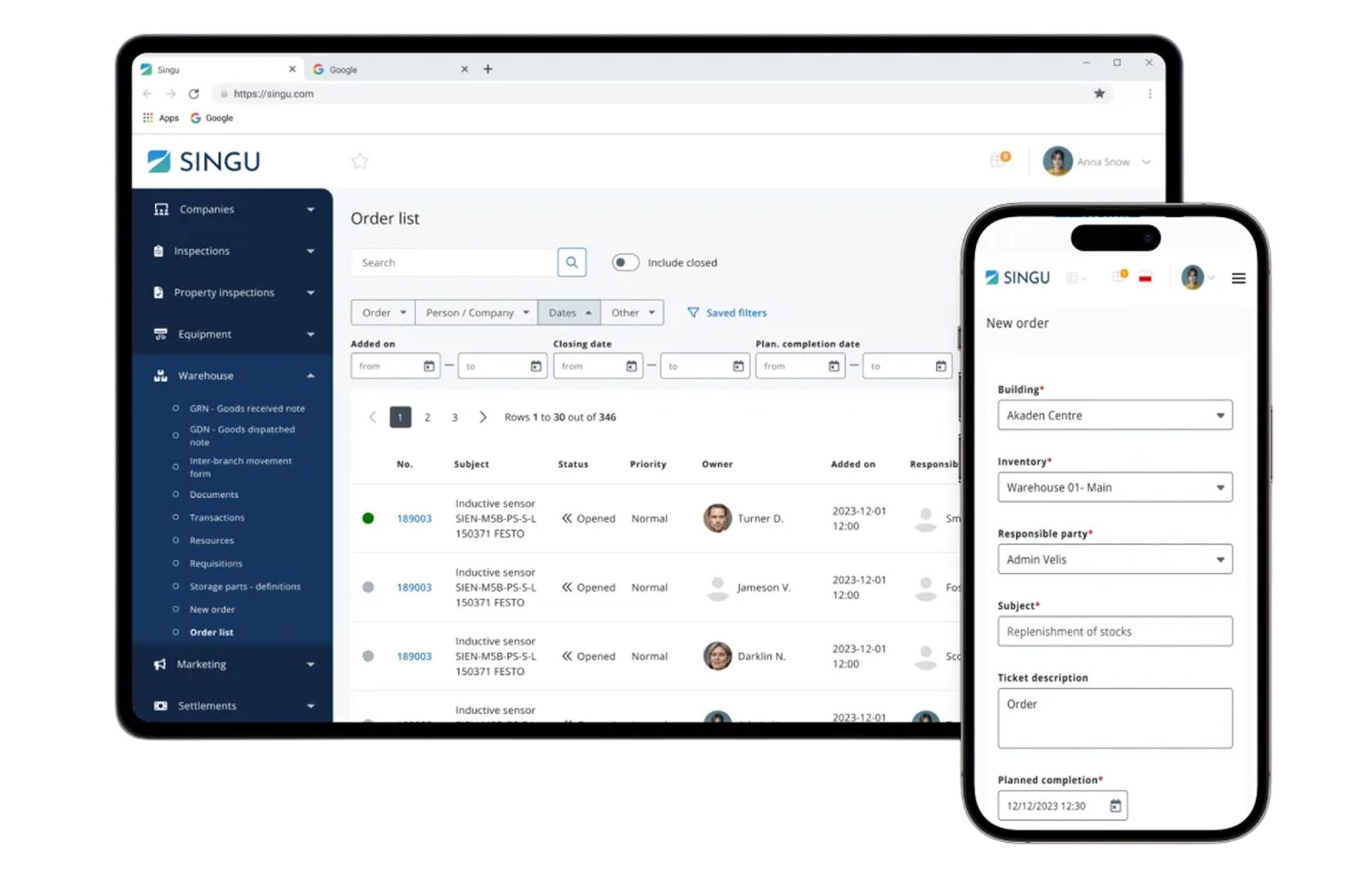
Spare parts are a small part of asset management, but running out of the right part can keep critical equipment out of service for days. Inventory features link stock to the jobs that use it and set minimum and maximum stock levels for each part. In SINGU, engineers can issue parts from a van or store to a ticket in the mobile app, and stock levels and the ticket’s material costs update automatically.
CAPEX Planning & Asset Costs
Knowing the maintenance cost of each asset helps teams plan capital spending and compare the total cost of ownership of different equipment. Finance teams also use data on asset age and condition to calculate depreciation and decide when to replace equipment. In SINGU, cost reports bring together the costs from tickets and inspections for each piece of equipment, and quick reports show costs across a technical installation or the failure history of equipment in a region. Cost data can also be shared with ERP and finance systems through integrations.

Reporting, Dashboards & BI
Asset reporting turns data from the asset system into decisions. Dashboards show asset status, downtime and costs across all sites, while KPIs such as failures per asset or planned maintenance completion show which equipment is becoming unreliable. SINGU offers customisable reports and dashboards and Power BI integration for deeper analysis.

Mobile Access, AI & Integrations
Mobile access lets technicians work directly at the asset instead of updating records later at a desk. AI and integrations remove manual tasks and keep data consistent across systems, which improves operational efficiency. SINGU is a mobile-first platform, and AI Report Reader reads external inspection reports and suggests work orders, which the team reviews before they are created. SINGU also integrates with ERP, finance, BIM and BI tools, supports SSO and offers a REST API.
Benefits of Asset Management Software
The benefits of asset management software depend partly on where an organisation starts. Teams moving from spreadsheets gain basic control over their assets, while teams replacing an older system gain better data, mobile access and easier integration.
| Upgrading from spreadsheets | Switching from a legacy system |
|---|---|
| One shared asset register instead of scattered files | Mobile access for technicians in the field |
| Fewer missing assets and outdated records | Records updated as soon as work is completed |
| Maintenance history linked to each asset | Easier integration with ERP, BI and SSO |
| Less manual data entry and fewer errors | Modern user interface with a shorter learning curve |
| Inspection records ready for audits | Lower IT effort with a cloud-based system |
Complete Visibility of Every Asset
With every asset in one register, teams know what they own, where it is and what condition it is in. Reports that once took days of manual work can be produced in minutes, and decisions are based on current data rather than old spreadsheets. With SINGU’s equipment management, organisations see up to a 42% improvement in operational workflow.
Longer Asset Life and Less Downtime
Unplanned downtime is one of the most expensive results of poor asset management, because it stops operations and usually leads to costly emergency repairs. Regular maintenance and early warning of faults keep equipment running for longer. When repairs are planned rather than urgent, they also cost less and cause less disruption. Organisations using SINGU’s equipment management report up to 30% fewer emergency repairs and up to 40% higher equipment lifecycle efficiency.
Lower Maintenance and Lifecycle Costs
Linking every job and its cost to the asset shows which equipment is expensive to keep running. Teams can then plan maintenance better, avoid paying for repairs covered by warranty and replace unreliable assets at the right time. SINGU clients see up to 33% lower maintenance costs.
Audit-Ready Compliance
A full audit trail shows when each asset was inspected, by whom and with what result. This reduces compliance and audit risk and gives boards clear assurance that statutory obligations are met. For healthcare estates, where incomplete registers and missed inspections carry the highest risk, this evidence is especially important.
Better Capital Planning Decisions
With the full history of each asset, teams can compare the cost of repairing it with the cost of replacing it. Capital budgets can then be built on facts about asset condition and cost, and investment can go first to the sites and assets that need it most.
Consistent Standards Across Multi-Site Portfolios
One system for all sites means the same asset types, checklists and inspection standards everywhere. This makes it possible to compare buildings, spot sites that fall behind and apply good practice from one location to the rest of the portfolio.
Measurable ROI
The return on asset management software comes from lower maintenance costs, fewer emergency repairs, less manual work and longer asset life. To measure it, organisations usually compare these savings with the total cost of the software over three years. Tracking a few clear metrics, such as maintenance cost per asset and planned maintenance completion, makes the return visible to finance teams.
Who Uses Asset Management Software?
Asset management software is used by any organisation that owns or runs a large number of physical assets. The way it is used depends on the type of building and on each person’s role.
By Industry
Retail chains and shopping centres. Retailers manage the same equipment, such as refrigeration, HVAC and lighting, across hundreds of stores. Shopping centres add escalators, car park systems and fire safety equipment shared by many tenants.
Healthcare and NHS estates. Hospitals rely on building assets such as lifts, medical gas systems, ventilation and water systems, many of which carry strict inspection requirements.
Education. Universities and schools look after large, mixed estates with laboratories, accommodation and sports facilities. Education estates teams use asset data to plan maintenance around the academic year.
Public estates. Councils and public bodies manage many buildings on fixed budgets and need clear records of asset condition to justify spending.
Logistics. Warehouses and logistics parks depend on dock doors, sprinklers and HVAC that must work without interruption.
Offices. In office buildings, owners and managers track building systems that affect tenant comfort and running costs.
Asset management software is also widely used in manufacturing, utilities and construction, where plant, machinery and vehicles are the main assets.
By Role
- Heads of Property and Real Estate use portfolio-level data on asset condition and cost to plan investment.
- Heads of Asset Management set standards for the asset register and track how assets perform over their lifecycle.
- Estates Directors need assurance that buildings are safe, compliant and fit for purpose.
- Facility and Technical Managers plan maintenance, manage contractors and decide when to repair or replace equipment.
- Maintenance Technicians find assets on site, see their history and record work in the mobile app.
- Compliance Officers check that statutory inspections are done on time and that evidence is ready for audits.
- Finance and CAPEX owners use asset costs and condition data to build capital budgets.
Cloud-Based vs On-Premise Asset Management Software
Most asset management software is now cloud-based, but some organisations still run older systems on their own servers. For asset teams, the difference matters most on site, where technicians need to open records and log work at the asset itself. The table below sums up the main differences, and you can find a fuller comparison in our guide to facility management software.
| Cloud-based | On-premise | |
|---|---|---|
| Set-up | New sites and assets can be added straight away | Needs servers and installation before go-live |
| Cost | Predictable subscription | Large upfront licence and hardware cost |
| Updates | Released by the vendor automatically | Planned and installed by internal IT |
| Access | Technicians use the app at the asset on any site | Often limited to the office network or VPN |
| Scalability | Grows with the portfolio | New sites may need extra hardware and licences |
| Security | Shared with a certified vendor | Fully managed by the organisation |
| IT effort | Low | High |
SINGU is a cloud-native platform. It is certified to ISO 27001 and holds Cyber Essentials certification, complies with GDPR and meets the GEFMA 444 standard. The platform is tested in independent OWASP security audits, comes with a 99.9% uptime SLA and supports single sign-on (SSO).
How Much Does Asset Management Software Cost?
Asset management software is usually paid for as a monthly or annual subscription. The price depends mainly on how many assets and sites you manage, which modules you need and how many people will use the system. On top of the subscription, most organisations pay one-off costs for the initial setup, especially for collecting and cleaning asset data.
Pricing Models
Vendors charge in different ways. The most common models are per user, per asset, per site or building and per square metre of floor space. Many platforms are also modular, so you pay only for the features you use. Almost all modern tools are sold as SaaS subscriptions, while some older systems are still sold as a one-off licence with an annual maintenance fee.
What Drives the Price
The biggest factors are the number of sites and assets, the modules you choose and the integrations you need, for example with ERP or BI tools. Data migration, tagging hardware and the level of support also affect the price. Small businesses with a single site and simple needs pay far less than large businesses with hundreds of buildings across several countries.
Hidden Costs
The cost that is most often underestimated is getting the asset data right. Surveying buildings, cleaning existing records and standardising asset types can take longer than the software roll-out itself. Other costs to plan for are tags and sensors, staff training and building integrations with other systems.
Total Cost and Return on Investment
To compare offers fairly, look at the total cost over three years, including the subscription, setup, data work, hardware and training. Then set this against the expected savings from fewer emergency repairs, lower maintenance costs, less manual work and longer asset life. A good business case shows not only the cost of the software but also the cost of carrying on without it.
SINGU uses a modular model, so you pay for the modules you need. Pricing is based on the portfolio you operate rather than the number of users, so technicians and contractors can be added without increasing the cost.
CTA:
Find the Right Plan for Your Portfolio
See how SINGU pricing works and which modules fit your sites and assets.
See pricing
The Best Asset Management Software in the UK (2026)
The right asset management software depends on the assets you manage and the size of your estate. This list covers different types of tools, from a platform built for multi-site physical estates to enterprise EAM suites, fixed asset accounting and simple asset tracking.
We compared each tool against the same criteria. These were the depth of physical asset management, support for a location hierarchy across the estate, built-in maintenance and compliance, mobile access, integrations, UK presence, scalability for multi-site organisations and pricing transparency.
| Tool | Type | Best for | Key strength | Limitation | Pricing model | UK presence |
|---|---|---|---|---|---|---|
| SINGU | CAFM / physical asset management | Multi-site physical estates | Equipment, maintenance, inspections and compliance in one platform | Pricing not published | Modular subscription, portfolio-based | Yes |
| IBM Maximo | EAM | Asset-heavy industries | Very broad EAM suite with asset performance tools | Complex licensing and long implementations | AppPoints, SaaS or client-managed | Yes |
| MRI Fixed Asset Management | Fixed asset accounting | Finance teams | Depreciation and year-end reporting | Limited maintenance and field features | Quote-based | Yes |
| Octave Attune EAM | EAM | Large enterprises and public bodies | Lifecycle, work and materials management at scale | Enterprise-level cost and implementation effort | Quote-based | Yes |
| Nanolink | Asset tracking | Tools and mobile equipment | Bluetooth beacons and GPS for locating equipment | Basic service reminders, no full planned maintenance | Monthly, per user, from 100 assets | Yes |
1. SINGU (Best Asset Management Software for Multi-Site Physical Estates)
Introduction
SINGU is an all-in-one platform for buildings, equipment, maintenance, compliance and ESG, built for organisations that manage large physical estates. More than 2,600 clients and 158,000 users in over 40 countries use it to run 78,000+ buildings covering more than 250 million square metres. Once they start using SINGU, 99.6% of clients stay.
Features
SINGU keeps every piece of equipment in a central register, with its history, metrics, documents and photos. New assets can be added in seconds with AI Equipment Capture, which turns a photo of a nameplate into a structured record. Equipment is tagged with QR codes or NFC tags linked to digital floor plans, so technicians can find an asset and open its record on site.
Each asset is linked to its inspections, work orders and costs, so teams can see how often it fails, how long it is out of service and whether it is still under warranty. IoT sensors connected to SINGU can raise tickets automatically when a reading goes outside the normal range. AI Report Reader suggests work orders based on external inspection reports, and Power BI integration supports reporting across the whole portfolio. Clients get a 99.9% uptime SLA, and 24/7 priority support is available in the Enterprise package.
“We needed to stay updated with everything happening in a given property and have precise information about the infrastructure, warranties, work deadlines, and methods of handling requests. We no longer manage these issues in any other way. All activities are conducted within the SINGU system.”
Ilona Bejma, Property Portfolio Management Manager, Echo Investment
Pricing
SINGU is modular, so organisations pay only for the modules they need. Pricing is based on the portfolio rather than the number of users, and each quote is prepared after a short consultation.
See SINGU in Action
Book a demo to see how SINGU manages equipment, maintenance and inspections across your buildings, or check how our pricing works.
Trusted by over 2,600 clients to run 78,000+ buildings, with most organisations going live within 12 to 16 weeks.

2. IBM Maximo
Introduction
IBM Maximo is an enterprise asset management suite for asset-intensive industries such as utilities, transport, energy and manufacturing. It is now sold as the Maximo Application Suite, which brings several Maximo products together in one offering.
Features
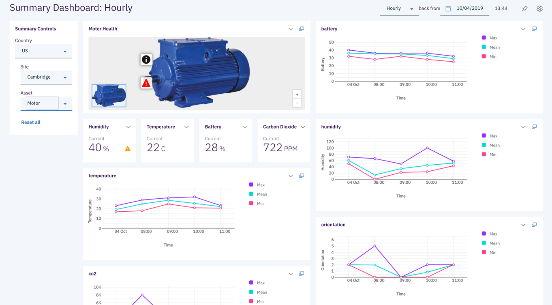
The core Manage application covers work orders, the asset register, purchasing and inventory. Other applications in the suite add asset monitoring, asset health scoring and visual inspection. Maximo suits large organisations with complex assets and dedicated teams to configure and run it.
Pricing
Maximo is available as SaaS or as client-managed software and is licensed through AppPoints, a credit system for applications and users. IBM offers an online price estimator, and final prices are quoted by IBM or its partners.
3. MRI Fixed Asset Management
Introduction
MRI Fixed Asset Management, formerly known as Real Asset Management, is fixed asset accounting software used mainly by finance teams. It helps organisations keep an accurate fixed asset register and meet accounting and reporting requirements.
Features
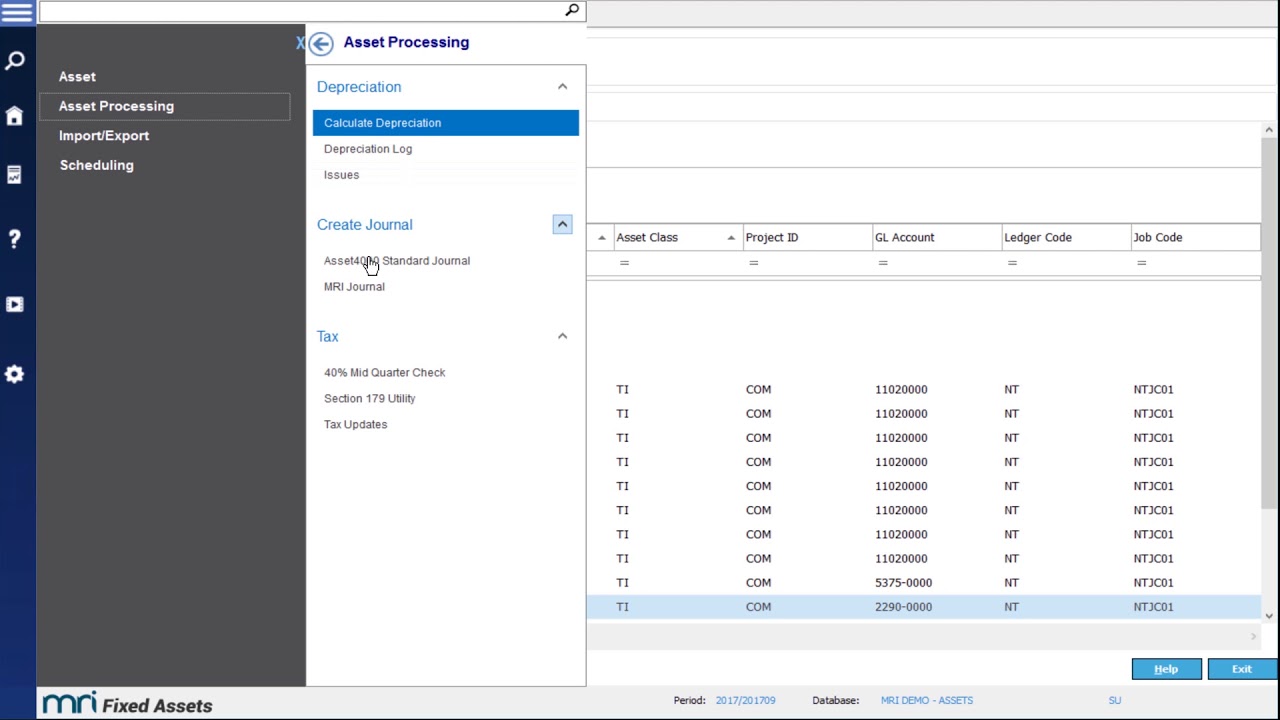
The software focuses on depreciation, compliance with accounting standards, control of capital spending and fast year-end reporting. It is a strong choice for the finance view of assets, but it is not designed for maintenance, inspections or field work.
Pricing
MRI does not publish prices. Pricing is quote-based.
4. Octave Attune EAM
Introduction
Octave Attune EAM is an enterprise asset management system from Octave, the software company spun off from Hexagon in 2026. Previously known as HxGN EAM and before that Infor EAM, it helps large organisations in industry, infrastructure and the public sector manage assets across their whole lifecycle.
Features
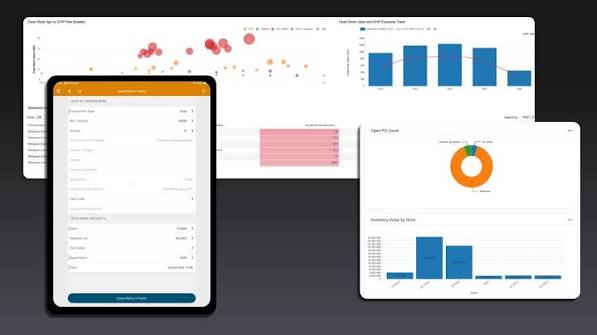
Octave Attune EAM covers lifecycle asset management, including cost and warranty management, as well as work management, materials management and asset strategies for investment planning, risk and compliance. It offers mobile apps, including an offline option for areas without connectivity, plus barcoding, GIS and BIM capabilities and standard APIs for integration.
Pricing
Octave does not publish prices. Pricing is quote-based and usually reflects an enterprise-scale implementation.
5. Nanolink
Introduction
Nanolink is a Danish asset tracking system for tools and equipment, also available in the UK. It is aimed at construction, industry, healthcare and transport businesses that need to know where their mobile equipment is at any time.
Features
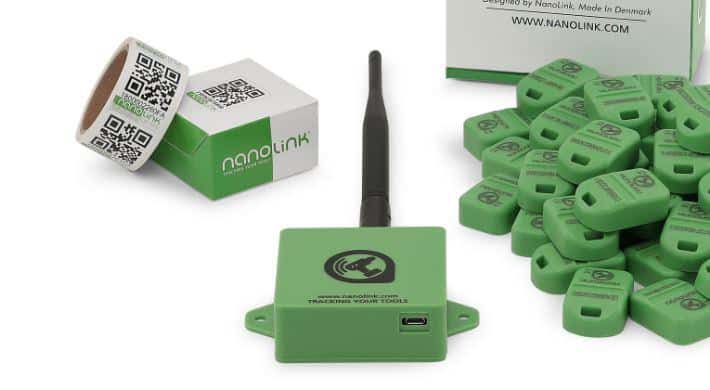
Nanolink uses small Bluetooth beacons on tools and equipment, which are picked up by a smartphone app, vehicle GPS trackers or warehouse readers. Teams can see where each item is and who is using it, store service history and get reminders when equipment is due for service. It focuses on locating mobile assets rather than on full planned maintenance or building compliance.
Pricing
Nanolink is sold as a monthly subscription charged per user, with a minimum package that includes 100 assets. Beacons and trackers are bought separately, and a free trial is available.
How to Choose the Right Asset Management Software
Asset management vendors describe their products in similar ways, so it helps to compare them against the same list. The points below focus on what matters most when you manage physical assets across many buildings.
- Start with the type of asset. Decide whether you need to manage physical assets, IT hardware, software licences or digital files. Each needs a different type of tool, and a system built for laptops or licences will not handle lifts, boilers and statutory inspections.
- Check how assets are linked to locations. Look for a clear location structure that runs from site and building down to floor and room, so every asset can be found and reported on in the right place.
- Look for maintenance and compliance built in. Planned maintenance, inspections and audit trails should work inside the same system as the asset register, not as add-ons or separate tools.
- Test the mobile app and tagging on site. Technicians will only keep records up to date if the app is quick to use. Ask to try scanning tags, opening asset records and logging work during a demo, and check how steep the learning curve is.
- Make sure it works across your whole portfolio. The system should report across all sites and support capital planning, so you can compare buildings and decide where to invest first.
- Review integrations. Check connections with your ERP and finance systems, BI tools and single sign-on (SSO), so asset data does not have to be entered twice.
- Budget for the full three years. Include data collection, tagging hardware, setup and training, not just the subscription, when you compare offers.
- Ask for references and implementation support. A vendor that has worked with organisations like yours will know the typical problems with asset data and how to fix them before go-live.
Questions to Ask Vendors
- How do you help us move our existing asset register into the new software, and who cleans the data?
- Which tags do you support, and can technicians add new assets directly from the mobile app?
- How are inspections and statutory requirements linked to specific asset types?
- What does your user interface look like for technicians who rarely use new software?
- Can you show us a client with a similar number of sites and assets?
Implementing Asset Management Software
The success of asset management software depends on the quality of the asset data in it. Before the system goes live, most organisations go through four steps.
- Survey the assets. Build a full asset inventory, building by building, and compare it with existing records.
- Clean the data. Remove duplicates and assets that no longer exist, and fill in missing details such as location, age and warranty.
- Standardise asset types. Use the same names, categories and parameters for the same kind of equipment across all sites, so assets can be compared and reported on.
- Tag the assets. Attach QR codes or NFC tags, so each asset can be identified on site and linked to its record.
At SINGU, implementation follows four phases. Discovery takes place in weeks 1–2, implementation in weeks 3–8, including data migration and help with entering asset data, enablement in weeks 8–12 and Success & Growth from week 12 onwards. Most organisations go live within around 12 to 16 weeks. You can see how the team supports each stage on the Expert Implementation page.
Case Study: HB Reavis at Varso Place
Varso Tower in Warsaw is the tallest building in the European Union and the centrepiece of the Varso Place complex. HB Reavis, an international workspace provider, manages this mixed-use development of offices, retail, hospitality and wellness space with SINGU.
The Challenge
Before SINGU, the team’s workflows relied heavily on paper documentation and fragmented tools. Coordinating inspections, managing permits and responding to tenant requests was often slow and reactive, and it was difficult to get a transparent, real-time overview of all operations. Staying on top of inspection schedules and warranty deadlines was a constant challenge.
The Solution
SINGU was introduced during the construction of Varso Place and scaled as the building’s operations matured. Tenants now request work and delivery permits in the SINGU tenant app, and the facility team approves them in real time, with each ticket pinned to the right place on the floor plan. Inspections run on digital checklists that carry the full history of each asset, while defect reports and warranties are tracked in the same system, so warranty deadlines and defects are not overlooked.
Case study
HB Reavis: Driving Smart Building Management at Varso Place with SINGU

With operations digitised in SINGU, HB Reavis has achieved:
- full visibility of daily operations across Varso Place
- smoother communication between tenants, technical teams and facility managers
- time savings through automated inspections and warranty tracking
- a better tenant experience, with faster and more intuitive service
What the Client Says
“For me, SINGU is about automation of daily processes. It’s a platform we use every day, and I would highly recommend it to anyone managing a complex asset. It makes inspections, permit workflows, and tenant communications seamless.”
Piotr Popławski, Property Manager, HB Reavis
Frequently Asked Questions About Asset Management Software
What Is Asset Management Software?
Asset management software is a digital system that records every asset an organisation owns, where it is, what condition it is in and what it costs. It manages each asset across its lifecycle, from acquisition and maintenance to replacement and disposal, in one central register.
What Are the Types of Asset Management Software?
The main types are physical (fixed) asset management, enterprise asset management (EAM), IT asset management (ITAM), software asset management (SAM) and digital asset management (DAM). Physical asset management and EAM cover buildings and equipment, ITAM covers IT hardware, SAM covers software licences and DAM covers media files such as images and videos.
What Is Software Asset Management (SAM)?
Software asset management tracks the software licences an organisation has bought and how much each application is actually used. It helps avoid paying for unused licences and reduces the risk of penalties during vendor audits. SAM is usually managed by IT procurement and finance teams.
What Is Real Estate Asset Management Software?
Real estate asset management software gives organisations one view of the buildings they own or occupy. It connects each building with the assets inside it, their condition, compliance status and maintenance history, so estates teams can plan maintenance and capital investment from reliable data.
What Is the Difference Between Asset Management and Asset Tracking?
Asset tracking shows where an asset is, usually through tags, scanners or GPS. Asset management covers the whole lifecycle of an asset, including its condition, maintenance, compliance and cost. Most asset management systems include tracking, but tracking tools alone do not manage maintenance or compliance.
What Is the Difference Between EAM and CMMS?
A CMMS (computerised maintenance management system) focuses on maintenance, work orders and planned servicing. EAM (enterprise asset management) covers the full asset lifecycle, adding procurement, financial data and long-term planning, and is designed for large, asset-heavy organisations.
How Much Does Asset Management Software Cost in the UK?
Asset management software in the UK is usually sold as a monthly or annual subscription. The price depends on the number of assets and sites, the modules you need and the number of users, plus one-off costs for setup, data collection and tagging. Simple tracking tools cost far less than enterprise platforms for large, multi-site estates.
What Is the Best Asset Management Software in the UK?
The best choice depends on what you manage. SINGU is a strong option for multi-site physical estates, combining equipment, maintenance, inspections and compliance in one platform. Other well-known tools include IBM Maximo and Octave Attune EAM for enterprise EAM, MRI Fixed Asset Management for fixed asset accounting and Nanolink for tracking tools and mobile equipment.
Can Asset Management Software Replace Spreadsheets?
Yes. Asset management software replaces spreadsheets with one shared register that the whole team can update, including technicians on site through a mobile app. It also links each asset to its maintenance, inspections and costs, which spreadsheets cannot do reliably, and reduces errors from manual data entry.
Conclusion
Asset management software gives organisations one reliable record of the assets they own, from buildings and their systems to individual pieces of equipment. The right tool depends on the type of assets you manage. For physical estates, the most important features are a clear link between assets and locations, built-in maintenance and inspections, and a mobile app that technicians will use every day.
For organisations managing many buildings and the equipment inside them, SINGU brings the asset register, tagging, maintenance, inspections and compliance together in one platform. It gives estates and facility teams the data they need to keep assets running for longer and to plan investment with confidence. To see how it works with your own buildings and equipment, book a demo with our team.