
For a facilities or service operations manager in the UK, choosing field service management software usually starts with a familiar set of problems. Service requests come in by phone and email. Field workers record work on paper, and the details reach the back office days later. Nobody has complete visibility of who is on which site or what the job status is. SLAs are missed, the same fault needs a second visit, and compliance evidence sits on clipboards rather than in a system you can audit.
FSM software brings field service operations into one place. In this guide, we explain what FSM software is and how it works, compare the 10 best options in the UK for 2026, and look at what facilities teams in particular should check before they choose.
Key Takeaways
- Field service management software is used by any team that sends technicians, engineers or contractors out to sites, from trades businesses to facilities teams running multi-site estates.
- The 10 best FSM software options in the UK for 2026 are SINGU, Salesforce Field Service, Microsoft Dynamics 365 Field Service, IFS Cloud, SAP Field Service and Asset Management, Totalmobile, Joblogic, BigChange, Simpro and Jobber.
- The must-have features are scheduling and dispatch, a mobile app for engineers, digital work orders, asset and parts tracking, and contractor access.
- Billing-led tools suit trades businesses that quote and invoice end customers. FM-led tools, usually part of a CAFM or CMMS, suit teams that maintain their own estate or their clients’ estates.
What Is Field Service Management Software?
Field service management software (FSM software) is a digital platform that coordinates and tracks off-site service work, maintenance and installations. It replaces paper job sheets, spreadsheets and phone calls with one cloud system. FSM software and field service software mean the same thing.
How Does Field Service Management Software Work?
Most FSM software follows the same job lifecycle.
- A request is logged by a building user, the helpdesk or an automated alert.
- The job is prioritised against its SLA.
- It is assigned to an in-house engineer or an external contractor.
- The engineer completes it on a mobile app, working through a checklist and adding photos.
- The job is closed and the record is stored against the site or asset.
- The data feeds reports on response times, SLA performance and costs.
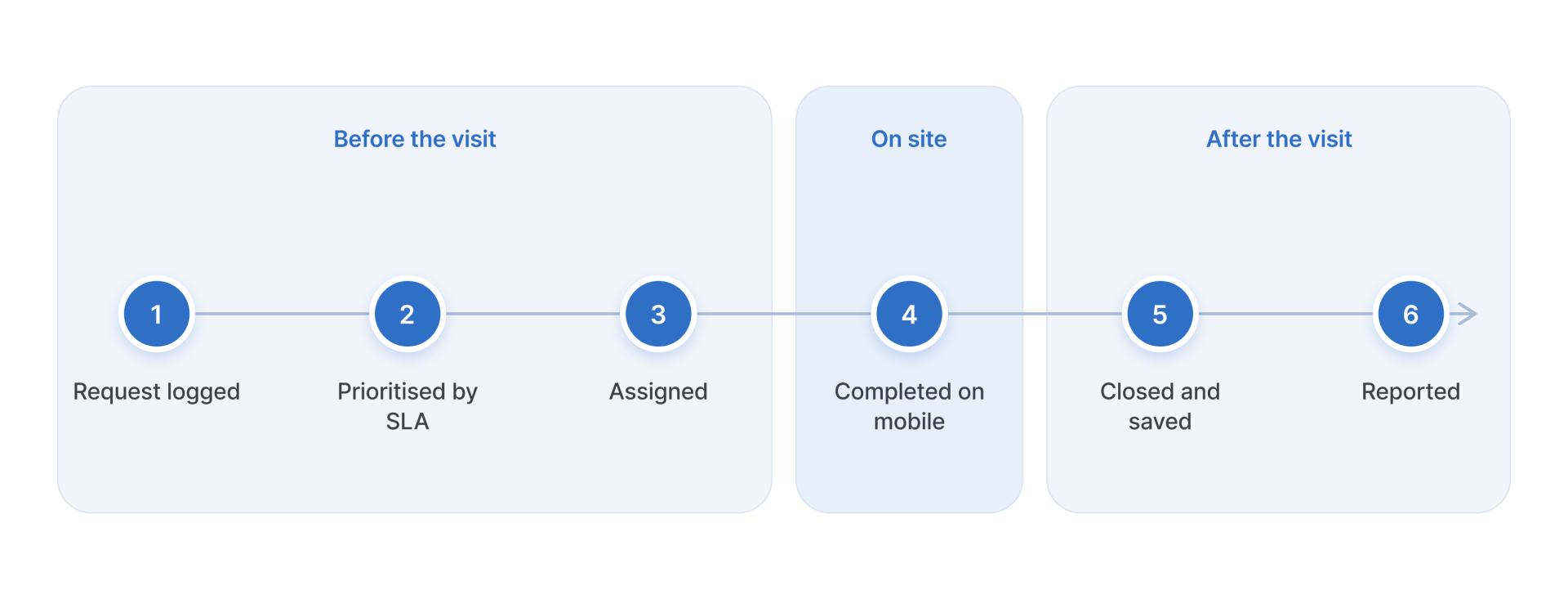
In SINGU, requests can be logged with photos, including from the mobile app, and are assigned automatically to the right technician or contractor. Everyone involved, from field technicians to the office team, can follow job progress in real time until the job is closed.
The 10 Best Field Service Management Software in the UK (2026)
There is no single best tool for every team. Small field service teams that invoice their customers need something different from enterprise businesses that maintain hundreds of buildings. To make the comparison fair, we looked at each tool against the same criteria.
- Scheduling and dispatch
- Mobile app for field service technicians
- Coverage of hard FM and soft FM
- Access for contractors and subcontractors
- Compliance evidence
- Integrations, including CRM integration
- UK presence and support
- Scalability
- Review scores on G2 and Capterra
Competitor details come from each vendor’s official website, and prices were checked in November 2026.
| Tool | Best for | Standout feature | Mobile app | UK presence | Pricing |
| SINGU | Enterprise facilities teams and FM service providers | Field service inside a CAFM/CMMS, for hard and soft FM | Yes | Used by UK organisations, including NHS trusts | On request, per building (no per-user fees) |
| Salesforce Field Service | Existing Salesforce users | AI scheduling and dispatch inside the CRM | iOS and Android, offline-first | UK site, GBP pricing | From £140/user/month, billed annually |
| Microsoft Dynamics 365 Field Service | Microsoft 365 and Dynamics users | Copilot for work orders and scheduling, plus Remote Assist | Yes | UK site, GBP pricing | From £80.70/user/month, paid yearly |
| IFS Cloud Field Service Management | Enterprise, asset-heavy industries | AI scheduling at large scale | Yes | Global vendor | On request |
| SAP Field Service and Asset Management | SAP ERP users | Crowd service for external capacity | Yes, offline-first | Global vendor | On request (per resource) |
| Totalmobile | UK public sector and large mobile workforces | Rostering and lone worker protection | Yes, works offline | UK company, Belfast HQ | On request |
| Joblogic | UK maintenance contractors | Job costing with quotes and invoicing | Yes | UK company, Birmingham | From £49/user/month, billed annually |
| BigChange | UK service businesses with vehicle fleets | Vehicle tracking built into job management | Yes, works offline | UK company, Leeds | On request |
| Simpro | Trade contractors | Quoting and job costing for projects and service work | Yes | Operates in the UK (part of Simpro Group) | On request |
| Jobber | Small home service businesses | Customer portal for quotes and payments | Yes | UK payments, USD pricing | From $29/month (one user), billed annually |
1. SINGU (Best FSM Software for Enterprise Facilities Teams and FM Service Providers)
SINGU is an all-in-one CAFM and CMMS platform, so field service runs in the same system as assets, planned maintenance, compliance and reporting. More than 2,600 clients and 158,000 users manage over 78,000 buildings and 250 million sqm in SINGU, and 99.6% of clients stay with the platform.

Key Features
SINGU is built for teams that run many sites with a mix of in-house technicians and external contractors. Requests from every building are logged as work orders and assigned to the right technician or contractor, and contractors update their jobs in their own mobile portal. PPM inspections are generated automatically for each piece of equipment, with checklists, photos and a PDF protocol for every visit. Managers can compare SLA performance, costs and contractor ratings across the whole portfolio.
See how SINGU can help you run field service across your sites
Book a demo to see how SINGU brings in-house technicians and contractors together, from the first request to the closed job.
Pricing
On request. Pricing depends on the capabilities you choose and the size of your estate, with unlimited users and vendors included.
Best for. Enterprise facilities teams and FM service providers that manage in-house engineers and contractors across many sites.
2. Salesforce Field Service
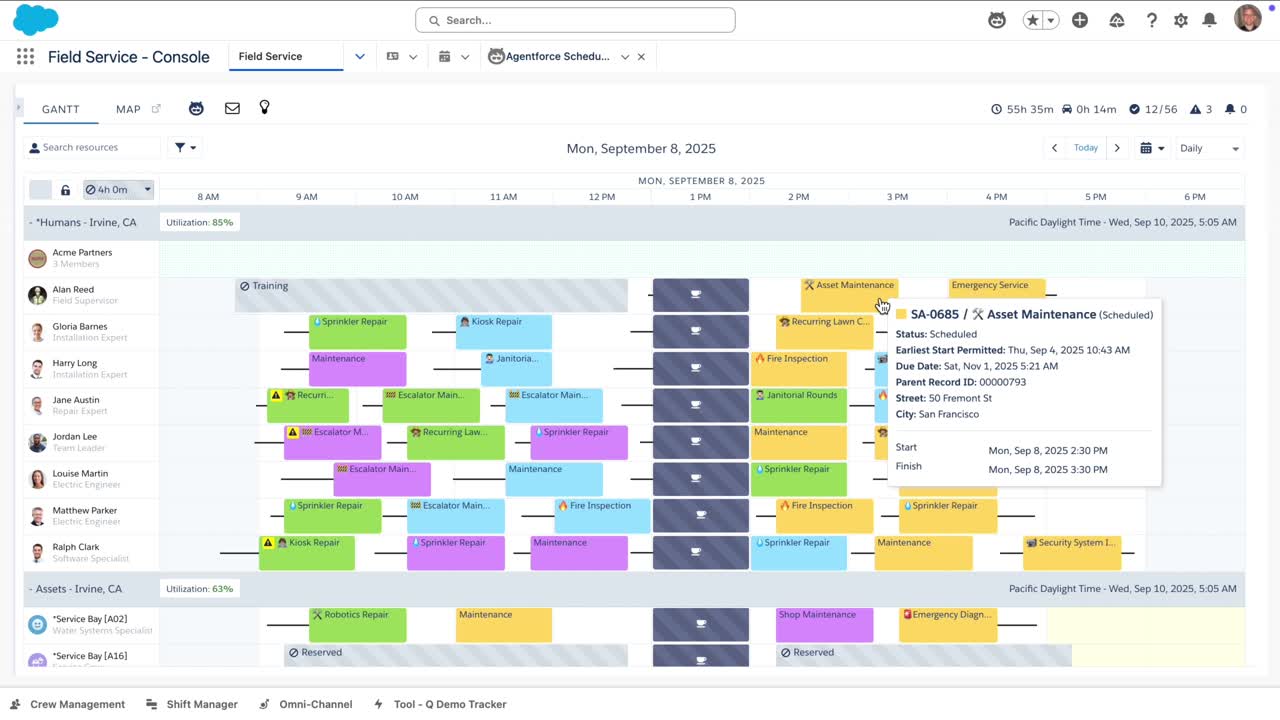
Salesforce Field Service, now marketed as Agentforce Field Service, runs on the Salesforce CRM and links work orders with customer data, contracts and asset records.
Key Features
Dispatchers get AI scheduling, route optimisation and reallocation of jobs during the day. Technicians work in an offline-first mobile app, where they can also create quotes and take payments. Contractors have their own portal and app access.
Pricing
From £140 per user per month (Dispatcher or Technician), billed annually. Contractor Plus costs £64 per user per month. Every deployment also needs at least one Service Cloud licence, and most AI features cost extra.
Best for. Companies already on Salesforce that service equipment at their customers’ sites.
3. Microsoft Dynamics 365 Field Service
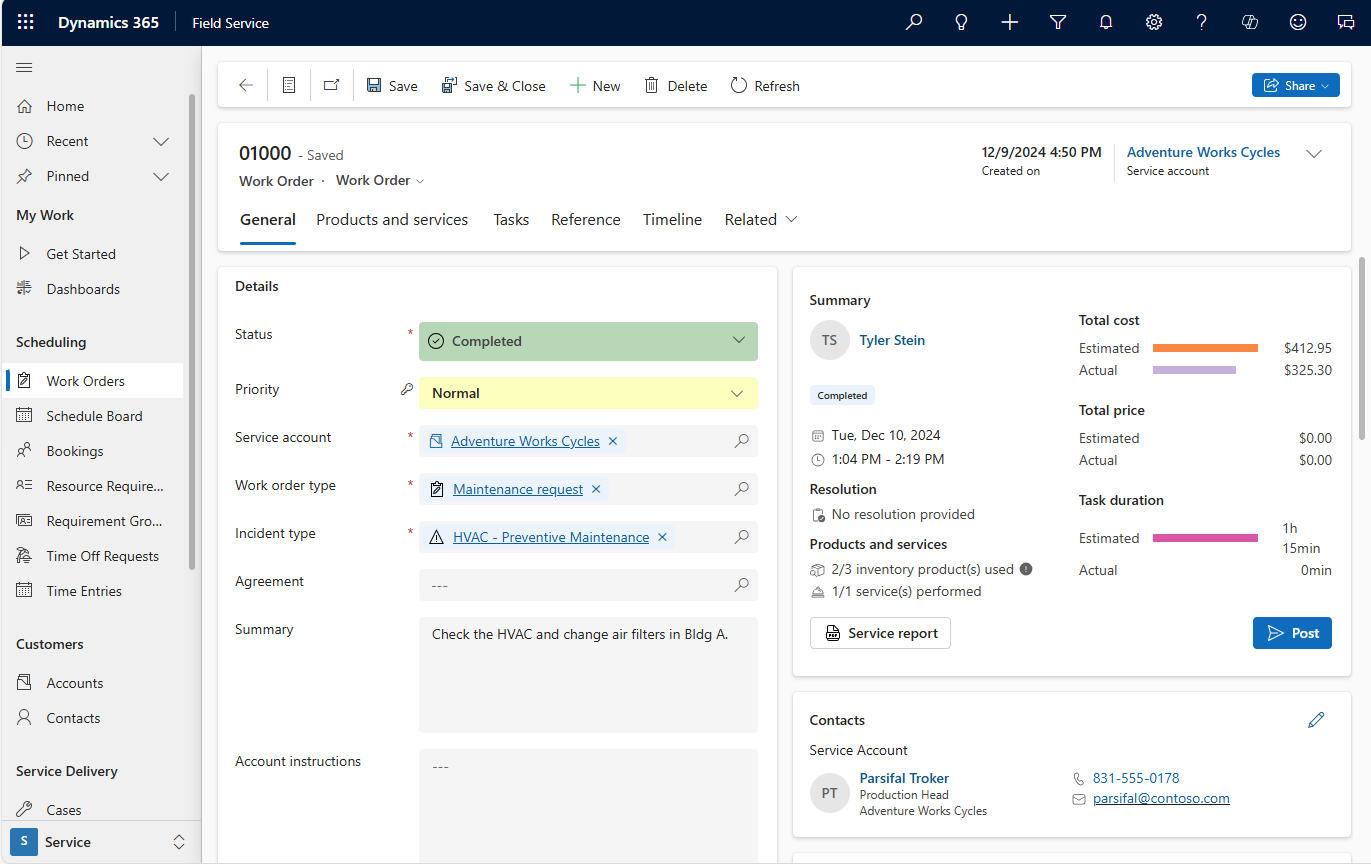
Dynamics 365 Field Service is Microsoft’s field service app, accessed on the web, on mobile and through Microsoft 365.
Key Features
It covers scheduling and dispatch, planned maintenance agreements and contractor management. Copilot helps create and update work orders, plan schedules and summarise jobs. Technicians can use Remote Assist and Guides for step-by-step instructions and help from remote experts.
Pricing
£80.70 per user per month, paid yearly, excluding VAT. A contractor licence costs £38.40 per user per month. Automated schedule optimisation is an add-on at £23.10 per resource per month.
Best for. Organisations already working in Microsoft 365 and Dynamics 365.
4. IFS Cloud Field Service Management
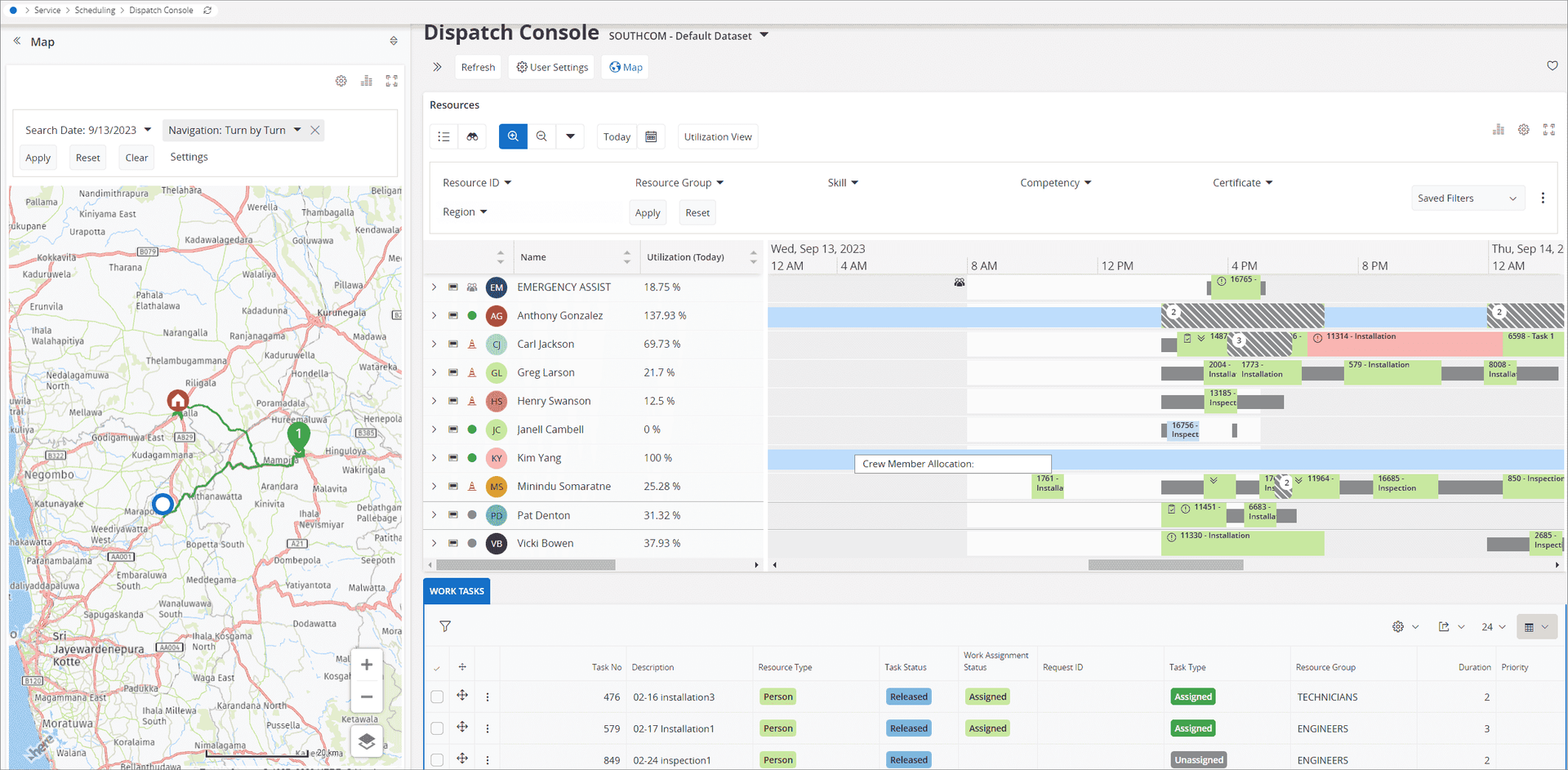
IFS Cloud Field Service Management is part of the IFS Cloud enterprise platform, which also covers enterprise asset management and ERP.
Key Features
AI-powered scheduling matches technicians to jobs by skills, parts and SLA deadlines, and IFS says it handles thousands of tasks at once. The suite also covers mobile workforce management, contractor management, service contracts and warranties, spare parts logistics, returns and remote assistance.
Pricing
On request.
Best for. Large organisations in asset-heavy industries that want field service and asset management on one enterprise platform.
5. SAP Field Service and Asset Management
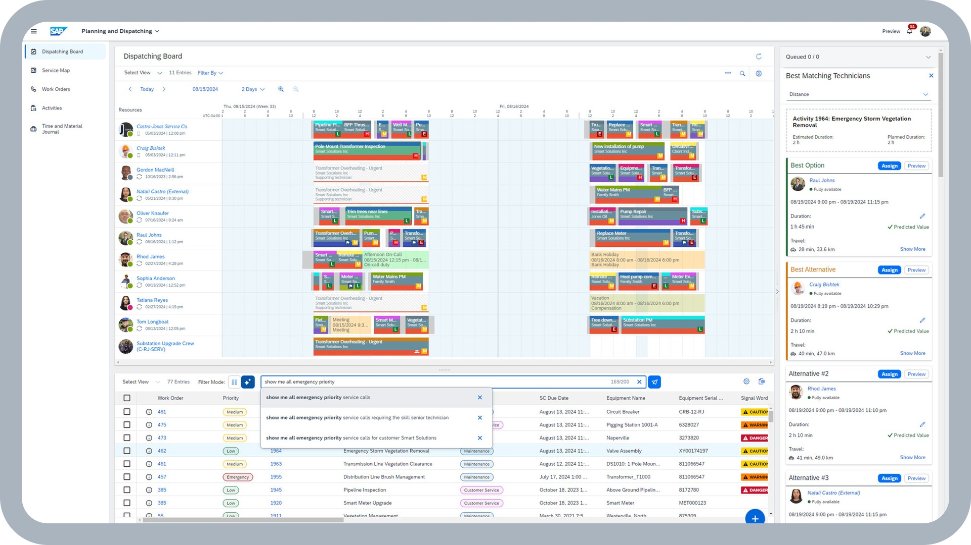
SAP Field Service and Asset Management, formerly SAP Field Service Management, brings planning, scheduling, dispatch and mobile execution for service and maintenance work into one cloud solution.
Key Features
AI matches technicians to jobs by skills, location and availability. Contractors and subcontractors are scheduled alongside employees, and a crowd marketplace and partner portal help bring in extra capacity. Technicians use an offline-first mobile app with guided workflows and smart forms.
Pricing
On request. SAP prices it per resource.
Best for. Organisations running SAP S/4HANA or SAP Service Cloud. It also works with other ERP systems, but the deepest integration is within SAP.
6. Totalmobile
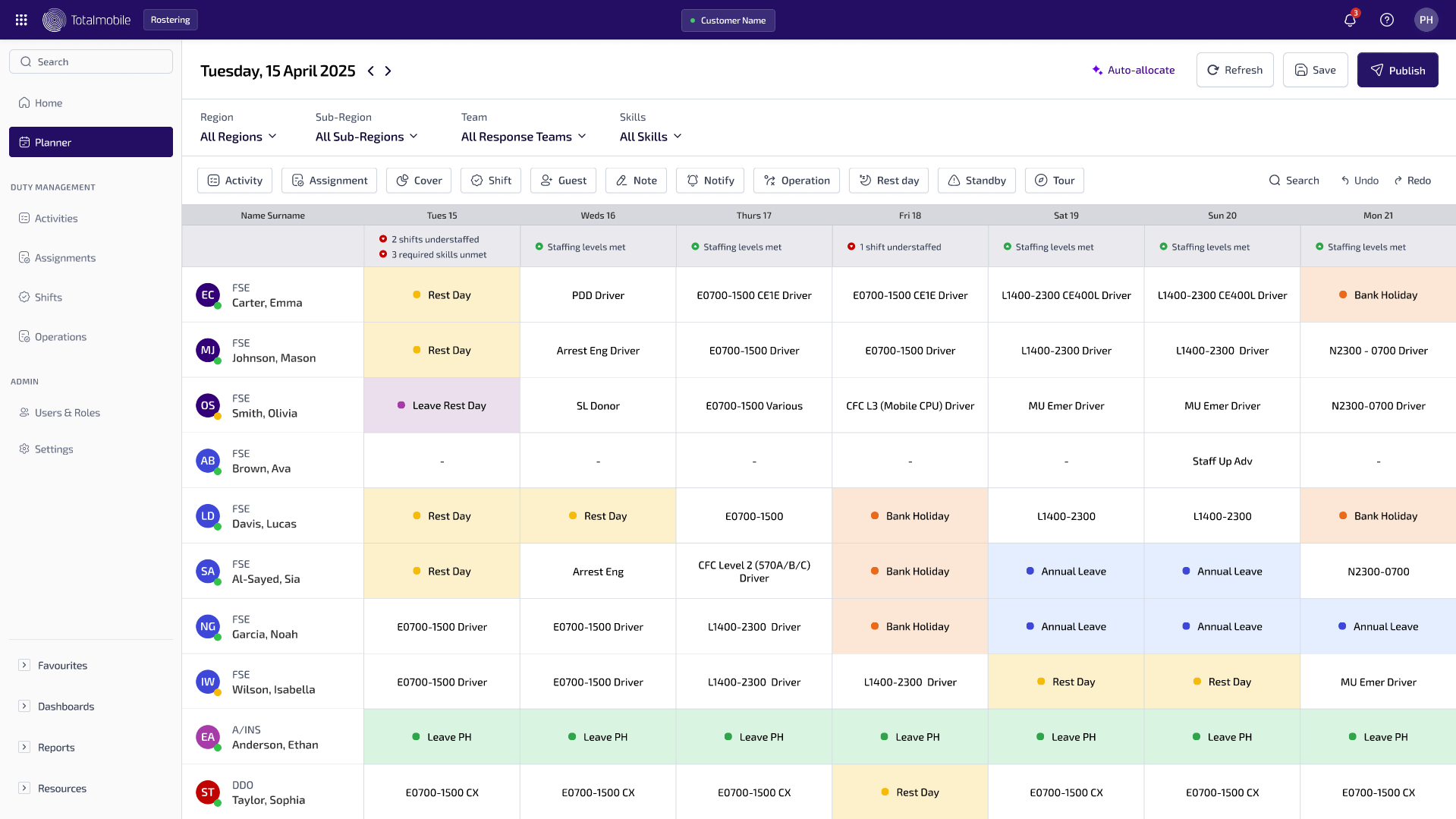
Totalmobile is a UK field service company based in Belfast, with a strong presence in the NHS, local government, social housing, emergency services and utilities.
Key Features
Its Field First platform combines job management, dynamic scheduling, mobile working with offline access, asset management and workforce rostering. Lone worker protection is built in, which matters for staff who visit homes or remote locations alone. Totalmobile also serves hard and soft FM providers.
Pricing
On request. Totalmobile is available on G-Cloud.
Best for. Public sector and regulated organisations in the UK with large mobile workforces, including care and housing teams.
7. Joblogic
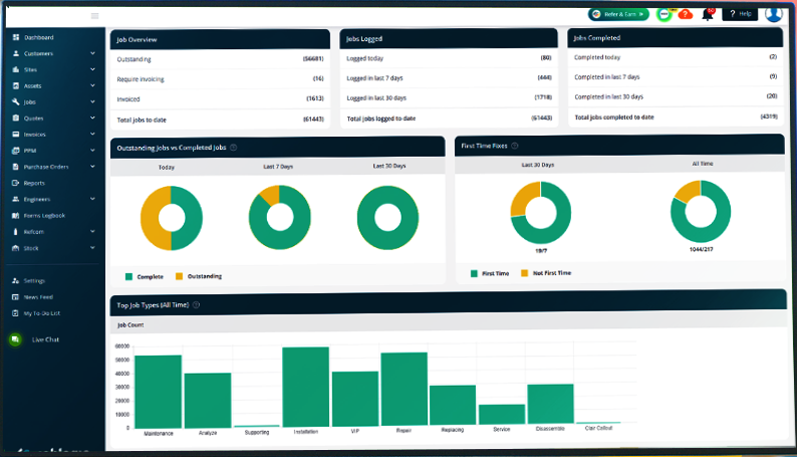
Joblogic is a UK field service platform from Birmingham, built for service and maintenance companies that send engineers out on planned and reactive jobs.
Key Features
The core plan covers job management and costing, asset records, scheduling and a mobile app for engineers, with quoting and invoicing for end customers. Higher plans add PPM contracts, route optimisation, engineer tracking, SLA management and a mobile form builder.
Pricing
From £49 per user per month, billed annually. Premium and Enterprise pricing is on request.
Best for. UK maintenance contractors that quote and invoice their own customers.
8. BigChange
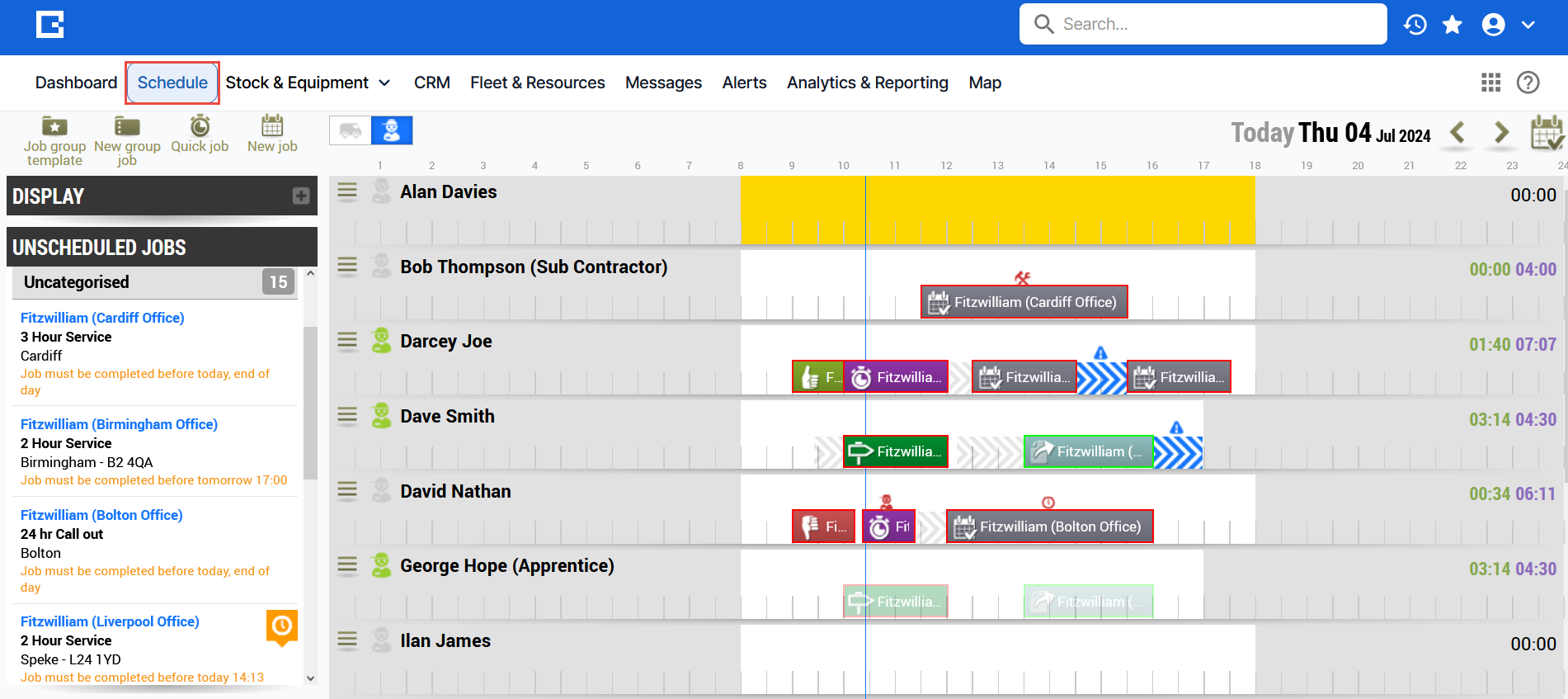
BigChange is a job management platform from Leeds, now part of Simpro, used by trades and service businesses in sectors such as drainage, property maintenance, fire safety and facilities management.
Key Features
It combines CRM, job scheduling, vehicle tracking and invoicing in one system. The scheduling assistant can reassign hundreds of jobs at once by location, skills and availability, and routes take traffic into account. Engineers use a mobile app that works offline, and job completion sends an invoice straight to the accounting system.
Pricing
On request.
Best for. UK service businesses that run their own vehicle fleet and invoice customers per job.
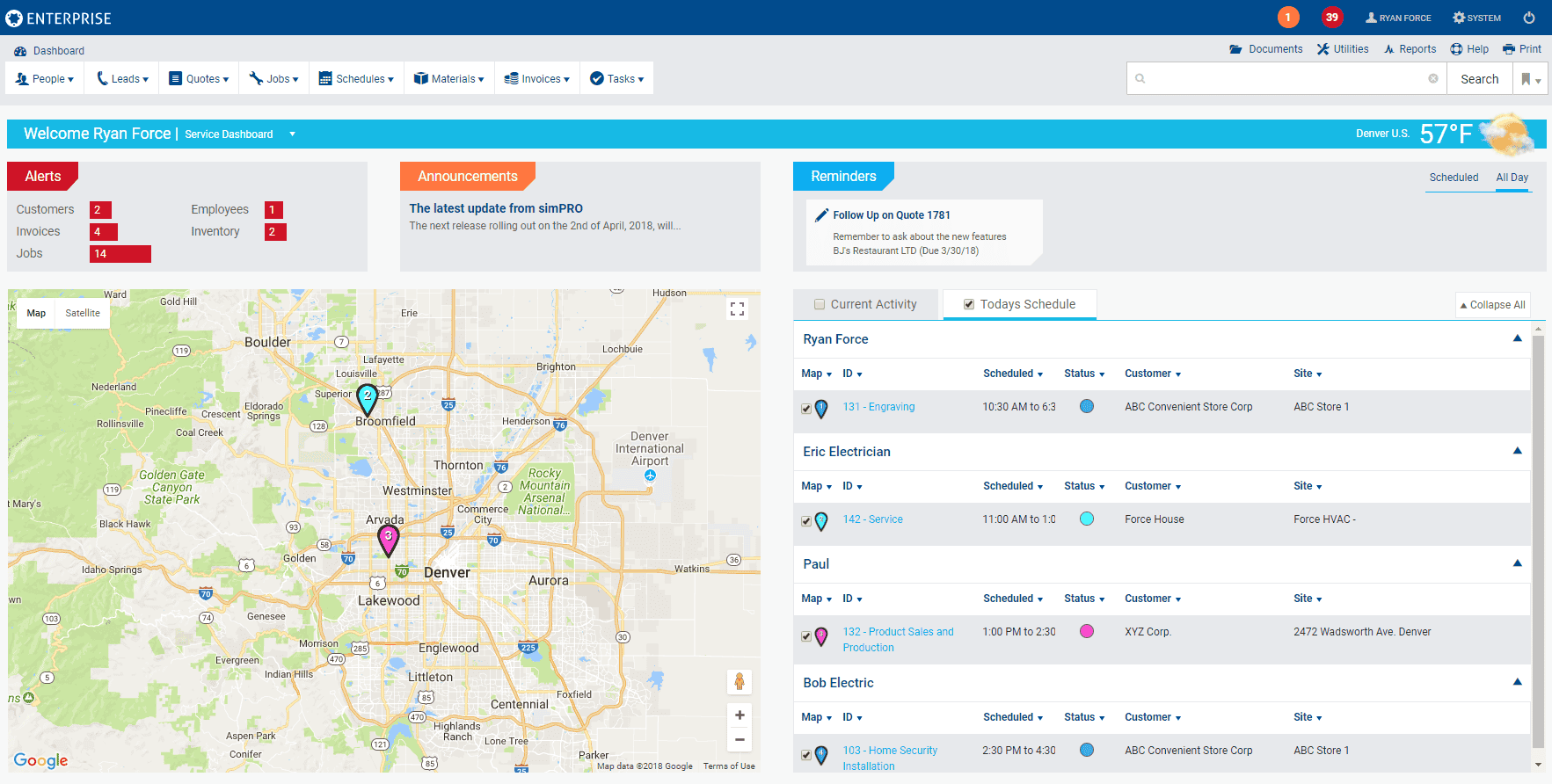
9. Simpro
Simpro is field service software for trade contractors such as electricians, plumbers, HVAC engineers and fire and security companies. It belongs to the same group as BigChange.
Key Features
Simpro links leads, quotes, scheduling, job costing, stock, timesheets, invoices and payments in one system. It supports reactive service work, planned maintenance and larger multi-stage projects, which suits contractors that both install and maintain systems.
Pricing
On request.
Best for. Trade contractors that need detailed quoting and job costing for both projects and service work.
10. Jobber
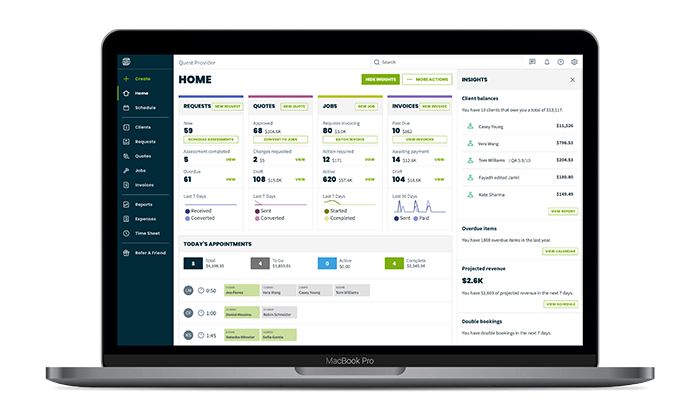
Jobber is field service software from Canada for small home service businesses such as cleaning, landscaping, painting and HVAC companies.
Key Features
Jobber covers scheduling, quotes, invoices and online payments in one simple tool. Technicians see their schedule, job details and directions in the mobile app. Customers can request work, approve quotes and pay invoices through their own portal.
Pricing
From $29 per month for one user, billed annually, or $49 per month without a commitment. Extra users cost $29 per month each. Prices on the UK site are in US dollars.
Best for. Small home service businesses and sole traders that want simple quoting and invoicing.
Field Service Management for Facilities Teams
Hard FM Field Service
Hard FM covers reactive repairs and planned maintenance on HVAC, refrigeration, electrical systems and the building fabric, often across hundreds of sites. Service engineers need a checklist that matches the asset type, a way to record photo evidence and the right parts before they arrive. Without these, the same fault often needs a second visit.
The more sites a team looks after, the more it depends on one standard way of logging and closing jobs. LPP uses SINGU across more than 1,600 stores in 20 countries, including the UK, and rolled it out to over 1,000 stores in just three months. Inter Cars handled several thousand reactive tickets and around 1,000 planned inspections a year across its logistics centres in SINGU.
Soft FM Field Service
Cleaning, portering, patient transport and security generate a high volume of short tasks that need to reach the right person quickly. Many FSM tools are built around engineers and planned jobs, so they handle this kind of work less well. Look for a system that sends each task to the nearest available person, lets staff request tasks without a phone call and shows supervisors which tasks are waiting.
Moving this work off paper also saves a lot of admin. Barts Health NHS Trust reported saving 80,000 sheets of paper in the first month after moving its soft FM processes onto a digital platform.
Working With Contractors and Subcontractors
Most estates combine in-house engineers with external providers, so the FSM tool has to give contractors a way in. Contractors should receive jobs directly, update them from their own phones and close them with the same evidence an in-house engineer would provide. Managers then need to compare SLA performance and costs across providers and keep contracts and insurance documents in one place.
In facilities management, field service usually runs inside a CAFM system rather than as a separate tool. The job, the asset, the PPM schedule and the compliance record need to live together. Read more about choosing facility management software for your estate.
Key Features of Field Service Management and Scheduling Software
Most field service management solutions share the same core functions. They schedule and dispatch work, give technicians a mobile app, manage work orders and assets, and give field service managers reports on the results. The sections below explain what each feature does and which problem it solves.
Scheduling and Dispatch
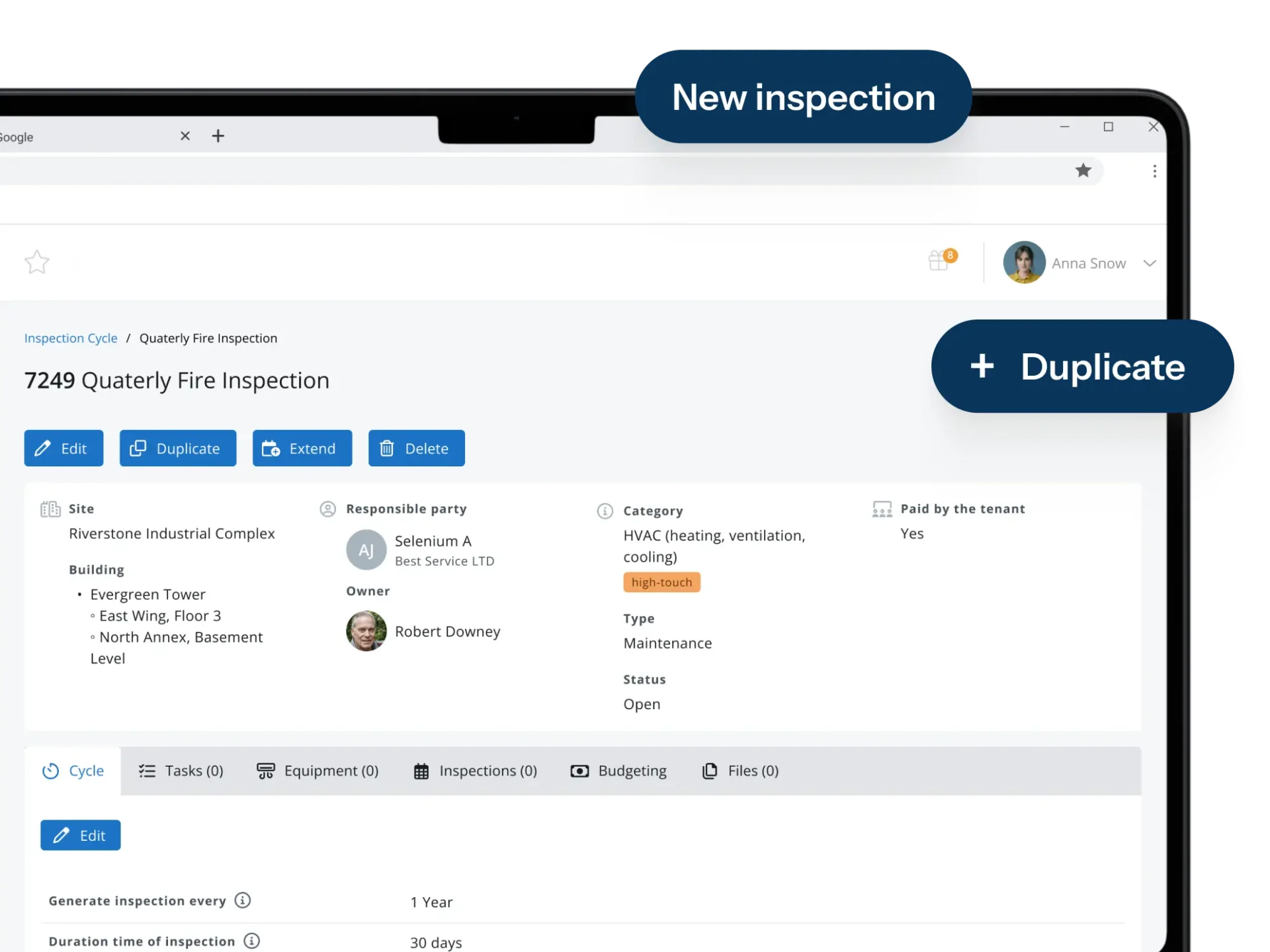
Scheduling and dispatch decide who does which job and when. Good field service management and scheduling software matches each job to an engineer’s skills, location and availability, and to the priority set by the SLA. Reactive call-outs have to fit around the planned maintenance programme without pushing PPM visits past their due dates. When a job goes to a subcontractor, it should carry the same details an in-house engineer would get.
Scheduling tasks by hand works for a small team, but it stops working once there are dozens of engineers and hundreds of open jobs. Software lets dispatchers assign tasks in a few clicks, move work when something urgent comes in and use crew scheduling to book everyone needed for a larger job on the same visit.
Mobile App for Technicians
The mobile app is where field service technicians receive jobs, check the asset history, follow checklists and record what they did. Digital forms replace paper job sheets, and photos, signatures and time stamps captured on site become the evidence that the job was done. Offline mode lets engineers keep working in basements, plant rooms and other places with poor signal.

Work Orders and Planned Maintenance
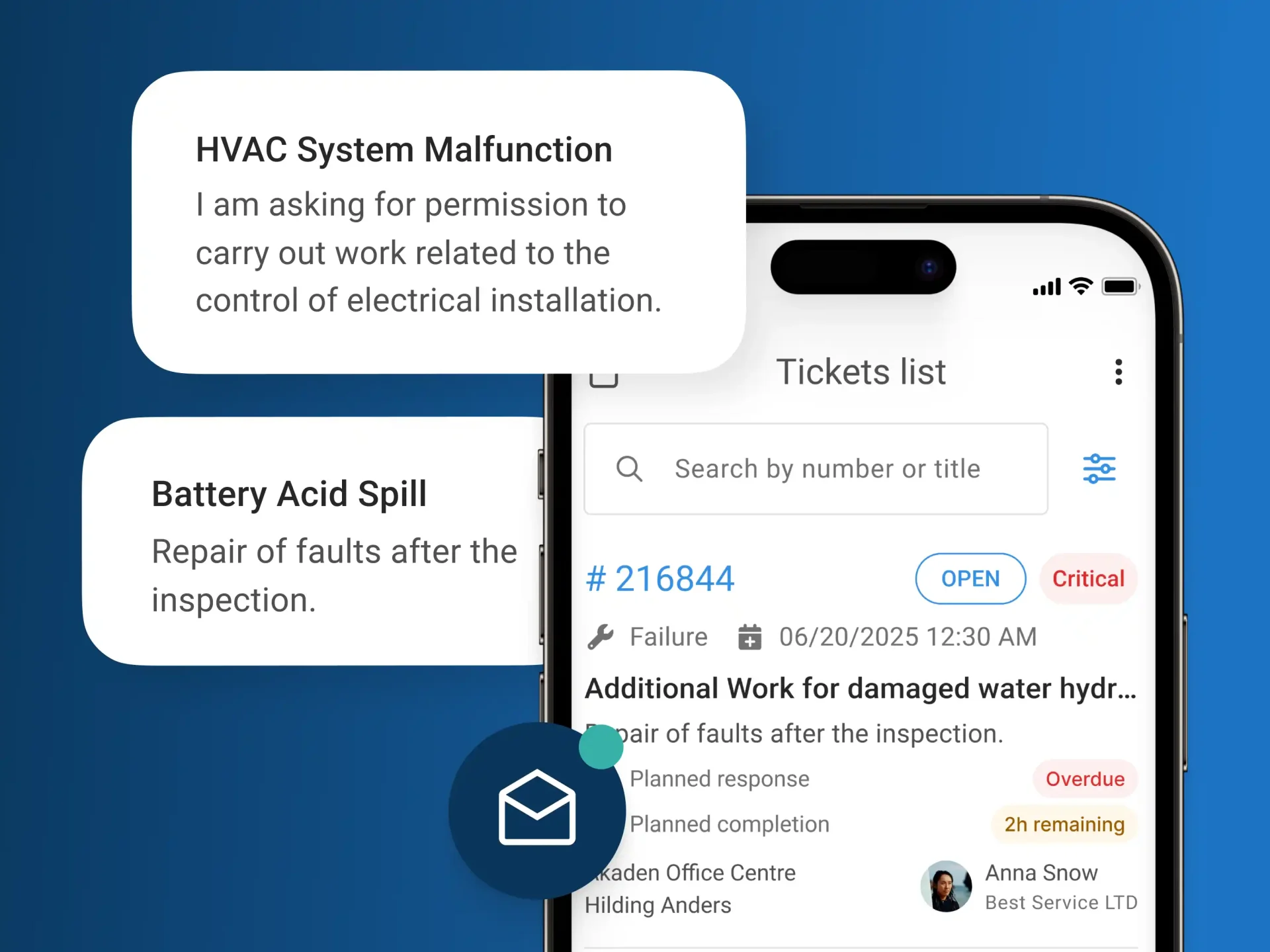
Digital work orders replace job sheets and email chains, and job tracking with SLA monitoring shows whether each job is on track. Planned maintenance works best when it is linked to assets, so every PPM visit uses the right checklist for that type of equipment.
In SINGU, inspections are generated automatically from set cycles and frequencies, each with a standard checklist. When an inspection finds a fault, the team turns it into a work order linked to both the inspection and the asset.
Asset History and Tagging
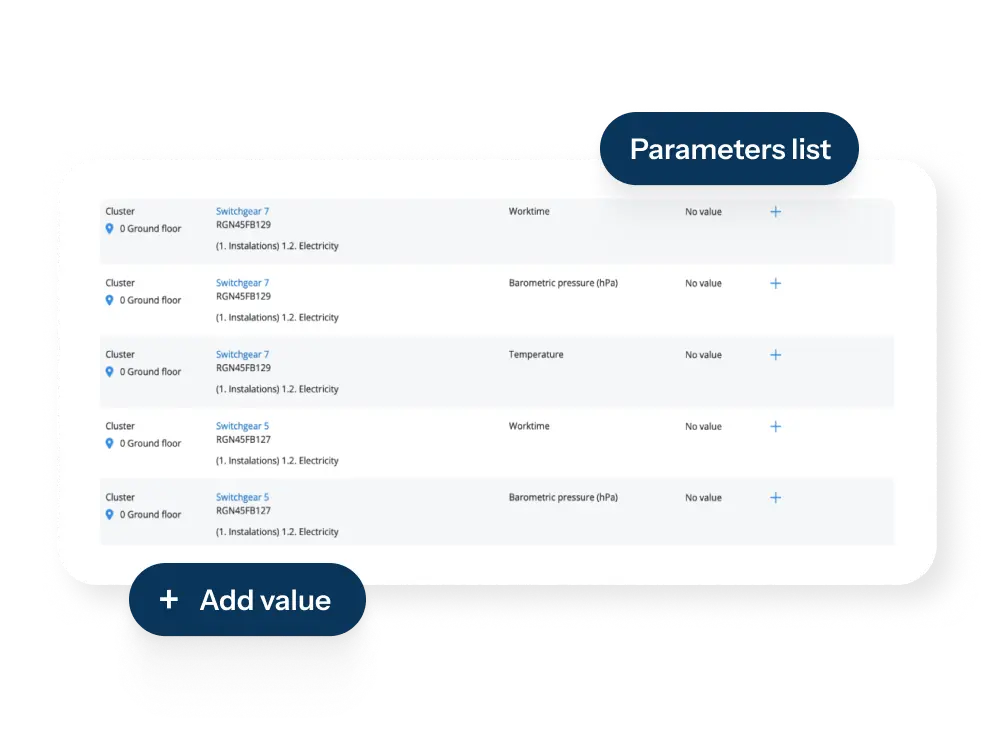
Good asset management software gives each asset one record with its location, service history and documents. QR codes, barcodes and NFC tags let engineers open that record on site in seconds, so the job is logged against the right asset.
In SINGU, every asset has its equipment history and metrics, photo documentation and warranty tracking. Engineers identify equipment on site with NFC or QR tags.
Inventory and Spare Parts
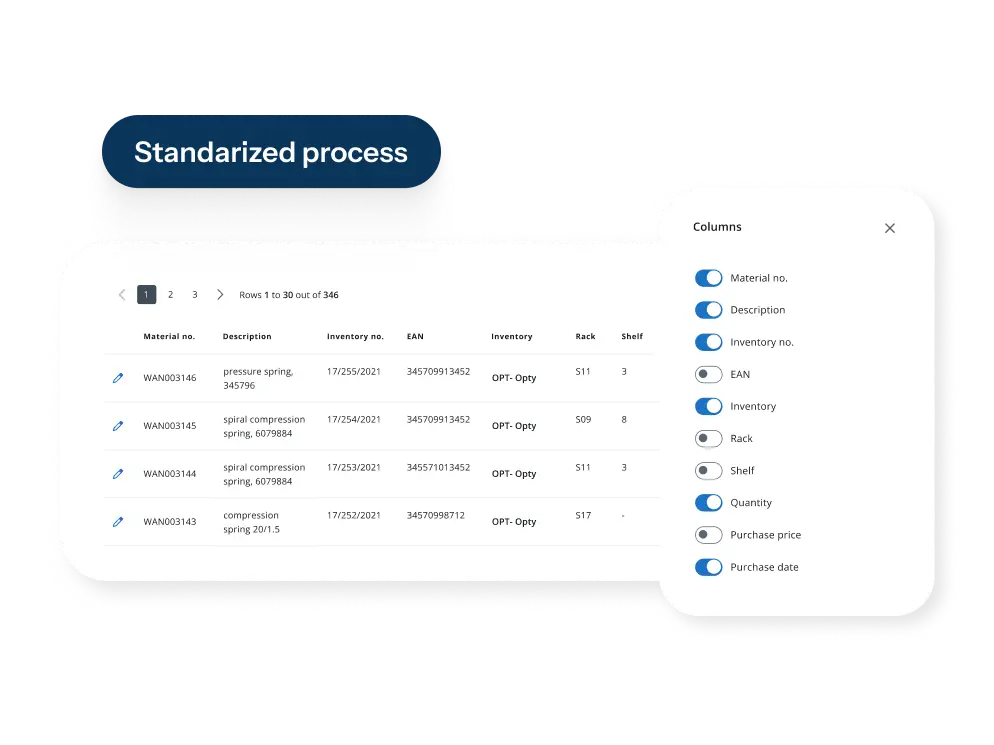
Inventory management shows which parts are available at each site or in each van. Usage is recorded against work orders, and reorder points warn the team before a part runs out. When parts are linked to jobs, engineers spend less time waiting for deliveries and fewer jobs need a second visit.
In SINGU, engineers book parts and materials from their van or the store to a job in the mobile app, and stock levels and the job’s material costs update automatically. If something is out of stock, the engineer adds it to the job as a request, and the warehouse team orders it from there.
Inspections and Compliance Evidence
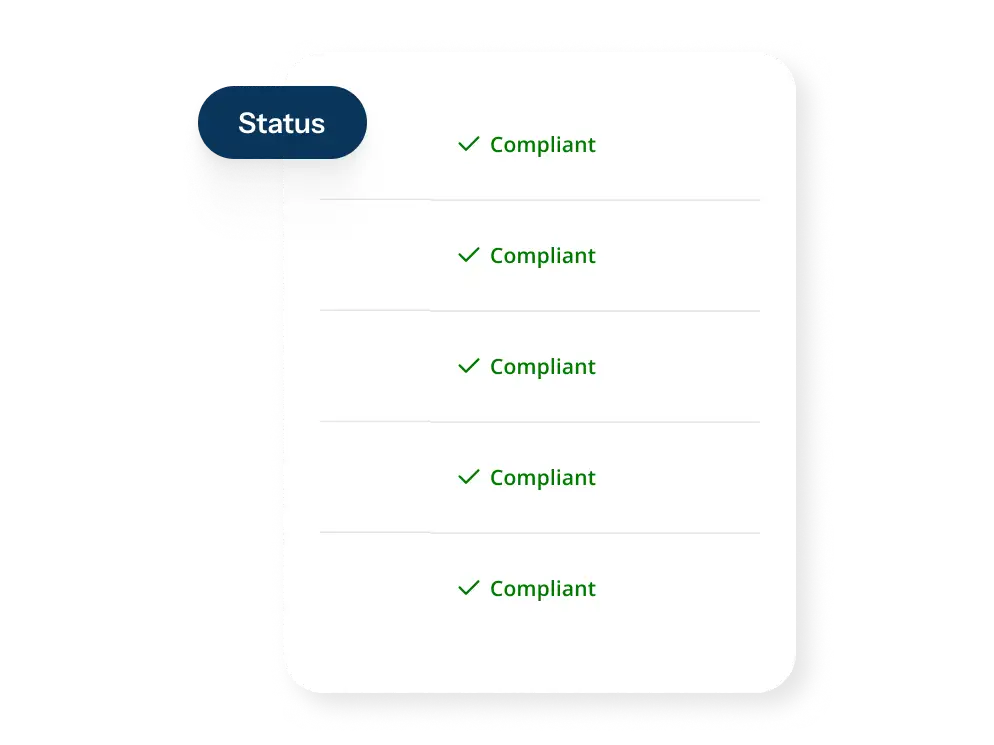
Mobile inspections are carried out against the correct asset or location, with photos and time stamps for every check. Digital checklists also make sure engineers follow the safety procedures set for each type of work. Any failed item becomes an action that is tracked until it is closed. In SINGU, every action is recorded in an audit trail, so teams can show auditors who did what and when.
Reporting and Integrations
Dashboards show open jobs, SLA performance and costs across sites. Integrations with ERP, finance and CRM systems, BI tools and single sign-on keep a seamless data flow between systems, so nobody has to type the same information twice. CRM integration links each job with customer information, so the service team sees the full history before a visit. SINGU offers customisable dashboards and Power BI integration, supports SSO and provides a REST API.

Benefits of Field Service Management Software
Faster Response and Resolution
When requests are logged digitally and assigned automatically, they reach the right engineer without phone calls or forwarded emails, which also gives building users a better customer experience. At Birmingham Community Healthcare NHS Foundation Trust, reactive maintenance is now resolved up to 40% faster.
Fewer Repeat Visits
Engineers who arrive with the right checklist, the asset record and the parts they need can fix the fault on the first visit. This raises first-time fix rates and cuts the number of repeat call-outs, which saves travel time and improves customer satisfaction.
Better SLA Performance and Contractor Control
With every contractor’s jobs, SLAs and costs in one system, managers can see who meets their targets and who does not. Echo Investment coordinates 224 external services in SINGU and increased the efficiency of its warranty work by 30%.
Less Paperwork and Admin
Job sheets, inspection forms and timesheets no longer need to be typed up after the visit, because engineers record everything on site and office-based teams receive it straight away. M2C, an FM service provider managing 500 to 600 sites across Europe, saves 60 to 70% of the time it used to spend on operational tasks.
Less Downtime
Planned maintenance and quick reactive repairs keep equipment running and prevent small faults from turning into breakdowns. Regular inspections also show when an asset is wearing out, so teams can plan a repair or replacement before it fails.
Audit-Ready Proof of Work
When every visit leaves a dated record with photos, checklist results and the engineer’s name, teams no longer have to rebuild the evidence before an audit. They can answer a regulator, an insurer or a building user with the record of what was done, when and by whom.
How to Choose the Right FSM Software in the UK
Most FSM tools look similar in a demo, and the differences show up only when your team uses them on real jobs. The checklist below covers the questions worth asking before you sign, from how the tool fits your work to what it will cost over three years.
- Decide whether you need a billing-led or an FM-led tool. If you send engineers to customers and invoice them for each job, look at tools built for service contractors, with quoting, invoicing and payments. If you maintain your own estate or your clients’ estates, you need field service that runs inside a CAFM or CMMS, where every job is linked to an asset, a PPM schedule and a compliance record.
- Check whether it covers hard FM, soft FM or both. Most FSM tools are built for engineers who carry out repairs and planned maintenance. If your field service teams also handle cleaning, portering or security, make sure the system can allocate short, high-volume tasks as well as engineering jobs.
- Test the mobile app on a real job. Ask for a trial and give the app to an engineer for a typical visit. Check how quickly they can open a job, complete the checklist and add photos, and how much they still need to call the office.
- Check the scheduling rules. The system should take skills, SLAs and availability into account and handle reactive and planned work together, so urgent call-outs do not push PPM visits past their due dates.
- Check contractor access and SLA reporting. Contractors should be able to receive, update and close jobs without emailing the office. You should also be able to report SLA performance for each contractor, so you can compare providers and act on poor results.
- Check UK compliance evidence. Engineers should be able to capture time-stamped, photo-backed evidence for every statutory check. Ask the vendor how the system supports the following.
- ACoP L8 and HSG274 (Legionella)
- Fire safety checks
- The Control of Asbestos Regulations 2012
- F-gas checks
- SFG20-based PPM
- HTM guidance and the National Standards of Healthcare Cleanliness for NHS estates
- Check UK procurement routes and data protection. FSM apps often track where technicians are, so make sure location data is processed in line with UK GDPR and that tracking can be switched on only where you need it. Public sector buyers should also check which frameworks the vendor is on. SINGU Healthcare is available through the NHS SBS Hard FM framework and G-Cloud, and SINGU is certified to ISO 27001, holds Cyber Essentials certification and complies with GDPR.
- Compare integrations and the three-year cost. Find out how the system connects to your ERP, finance and BI tools, and who builds and maintains those integrations. Then compare the total cost over three years, including implementation costs, training and support, not only the licence price shown in the comparison table above.
- Standardise your processes before you implement. Agree how jobs are logged, prioritised, assigned and closed before the system is configured, because software copies the process you give it. Plan proper training for field staff too, since mobile workers who are trained well use the app more consistently.
AI in Field Service Management
AI in field service is still at an early stage, but some uses already save time in day-to-day operations. The most useful ones take repetitive admin off people’s hands, while a person stays responsible for the final decision.
Turning Reports and Requests Into Work Orders
A lot of admin in field service is copying information from one place to another. SINGU’s AI Report Reader reads external inspection reports, picks out the defects and drafts work orders for them. A member of the team reviews and confirms each one before it is created.
The same idea works for new requests. Where AI features are switched on, an engineer can describe a fault in the SINGU mobile app by voice or text, and the AI writes a clear description and fills in the category, building and ticket type. The AI never overwrites what the user entered, and the priority is always set by a person.
Predictive Maintenance and IoT Alerts
Sensors on equipment measure values such as temperature, vibration or water flow. When a reading moves outside the normal range, the system raises a job before the equipment fails. More advanced tools use machine learning to spot unusual patterns and predict failures before they happen.
In SINGU, IoT sensors for temperature, leaks and presence feed data into the equipment records. When a reading crosses a set threshold, SINGU can create a ticket automatically.
Where AI Still Needs People
AI works only as well as the data behind it. If asset records are incomplete or jobs are logged inconsistently, its suggestions will be wrong. Compliance decisions also need a named, accountable person, because an AI tool cannot sign off a fire risk assessment or a water hygiene record.
Before you buy, ask each vendor whether every AI suggestion is checked by a person and whether your data is used to train AI models. In SINGU, a person confirms what the AI suggests, AI features are switched on only with the consent of the client’s administrator, and client data is not used to train AI models.
Case Study: Rex Concepts
Rex Concepts is the master franchisee of Burger King and Popeyes in Central and Eastern Europe. It runs 206 restaurants in Poland, the Czech Republic and Romania and opens dozens of new ones every year.
The Challenge
In quick-service restaurants, broken equipment means slower service, so every fault needs to be logged, assigned and fixed quickly. Kitchen equipment, refrigeration and HVAC are maintained by different specialist service partners, and each new restaurant adds more equipment and more partners to coordinate. Rex Concepts needed one maintenance process that would work the same way in every restaurant and grow with the network.
The Solution
Restaurant teams now report every technical issue in SINGU as a work order. Each work order gets a priority, a deadline and a responsible service partner, and both the restaurant and the operations team can follow its status in real time. Equipment is registered with its service history, so when a fault occurs, restaurant teams and service partners can see the relevant information. Maintenance costs are submitted and approved in SINGU against each work order, and SINGU BI brings work order and cost data from all three countries together.
The Results
In its first year with SINGU, Rex Concepts managed 5,199 maintenance activities through one standard process. Every restaurant in all three countries now follows the same steps, from reporting a fault to approving the cost. Service history and SINGU BI reports by restaurant, country and equipment type help the team plan repairs, replacements and maintenance budgets.

“Our restaurant teams can report technical issues through one standardized process, while the Facility team and service partners have a common view of priorities, deadlines and current status. This gives us much better visibility and control as the restaurant network continues to grow.”

Frequently Asked Questions About Field Service Management Software
What Is Field Service Management Software?
Field service management software is a digital platform for managing field operations, from planning and assigning work to tracking jobs that engineers and contractors carry out away from the office. It covers scheduling and dispatch, a mobile app for technicians, work orders, asset records and reporting, so the whole job is managed in one system instead of on paper and in spreadsheets.
What Does FSM Stand For?
FSM stands for field service management. FSM software, field service software and field service management software all describe the same type of tool.
What Is the Best Field Service Management Software in the UK?
It depends on how your organisation works. SINGU suits enterprise facilities teams and FM service providers that manage in-house engineers and contractors across many sites. Joblogic and BigChange fit UK contractors that quote and invoice their own customers, while Salesforce Field Service and Microsoft Dynamics 365 Field Service fit organisations already using those platforms.
What Is Field Service Management and Scheduling Software?
It is FSM software with a strong focus on planning work. The scheduling part matches each job to an engineer’s skills, location and availability, takes SLA deadlines into account and fits urgent call-outs around planned maintenance. The rest of the system then tracks the job through to completion.
Can FSM Software Manage Subcontractors?
Yes, but the level of support varies. Look for tools that let you assign jobs directly to contractors, give them their own mobile access, monitor their SLAs and approve their costs. In SINGU, contractors update their jobs in a dedicated mobile portal, and managers can compare their performance across sites.
Does Field Service Software Work Offline?
Many FSM apps have an offline mode, so field service workers can keep working on remote sites, in underground car parks or in buildings with poor signal, and sync their data once they are back online. Check which parts of the app work offline before you buy, because some tools only store jobs for viewing and do not let engineers update them without a connection.
Conclusion
Field service management software helps teams replace phone calls, paper job sheets and spreadsheets with one system for scheduling, mobile work, assets and reporting. Contractors that quote and invoice their own customers will find the best fit among billing-led tools. Facilities teams and FM service providers that maintain buildings across many sites need field service that runs inside a CAFM or CMMS.
SINGU brings field service together with maintenance, assets, compliance and contractor management in one platform for teams that look after many buildings.